A blog author has pointed out that the connection indicator on websites using Cloudflare may not reflect the actual communication path. Even when visitors connect over encrypted HTTPS, communications between Cloudflare and the origin server behind it may not be encrypted. If you’ve typically judged a site’s safety by the connection indicator in your browser, this raises a question: exactly how much of the connection does that indicator represent? 1
Cloudflare is a service that forwards requests between visitors and website servers and provides content delivery and protection features. The computer behind the scenes that actually provides a website’s data and functionality is called the origin server. The connection a visitor sees and the connection Cloudflare establishes with the origin server are two segments of the same route, but they can be configured differently. 2
The First Segment HTTPS Protects
When you visit a site whose address begins with https://, the browser and the server it connects to use an encryption technology called TLS. It protects the information being exchanged so that third parties cannot easily read it. But if a site has Cloudflare in the middle, the browser may connect to Cloudflare rather than directly to the origin server. 1, 2
A configuration guide published by hosting provider Nexcess on December 6, 2022, explains the difference in concrete terms. With Cloudflare’s Flexible SSL mode, communications between the visitor and Cloudflare are protected, but communications between Cloudflare and the origin server are not. The guide explains that a site can still be visited using an HTTPS address in this mode. 2
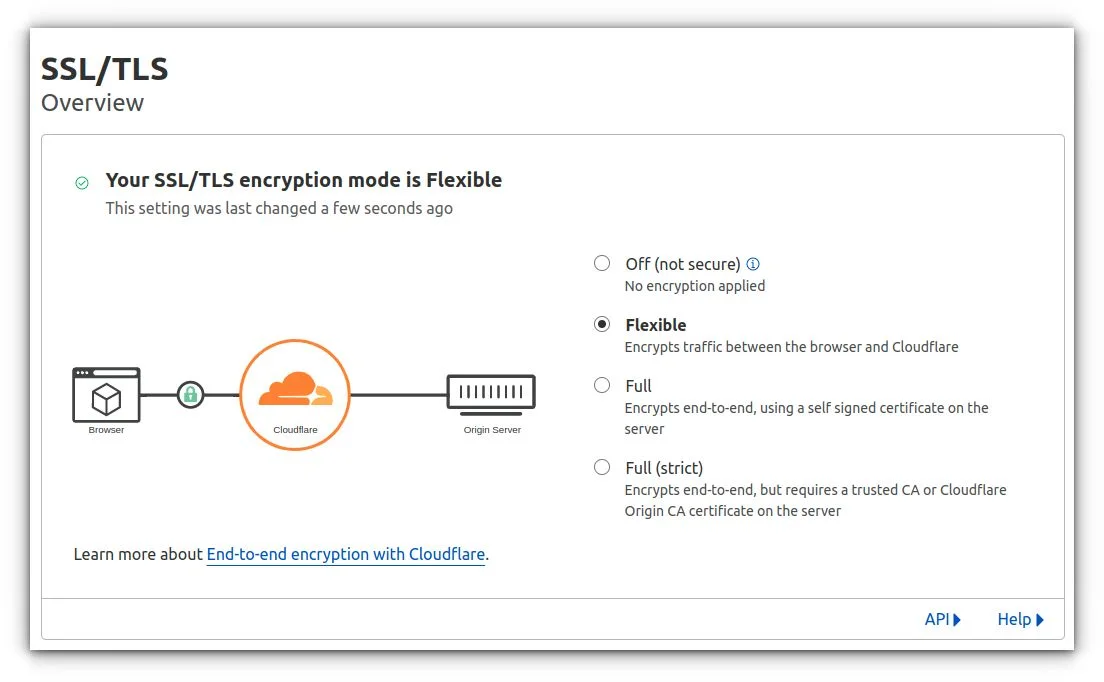
Image source · docs.nexcess.com
In other words, confirming an HTTPS connection in your browser is not the same as confirming that the connection is encrypted all the way to the origin server. The separate segment where Cloudflare forwards the request to the origin server also needs protection. Conversely, this does not mean that the back-end connection on every site using Cloudflare is unencrypted. The result depends on the settings chosen by the site operator. 2
The Same HTTPS Address, Different Origin Connections
The Nexcess guide describes three Cloudflare encryption modes side by side. The difference becomes clear when you look beyond the connection between the visitor and Cloudflare and include the origin server. Here are the characteristics of each mode as described in the guide. 2
| Mode | Visitor ↔ Cloudflare | Cloudflare ↔ Origin server |
|---|---|---|
| Flexible | Encrypted | Not encrypted |
| Full | Encrypted | Encrypted |
| Full (Strict) | Encrypted | Encrypted, with server authentication |
Full and Full (Strict) encrypt both segments, but Strict adds protection by authenticating the server at the other end of the connection. So simply seeing whether an HTTPS address loads makes it difficult to tell Flexible apart from the two Full modes. 2
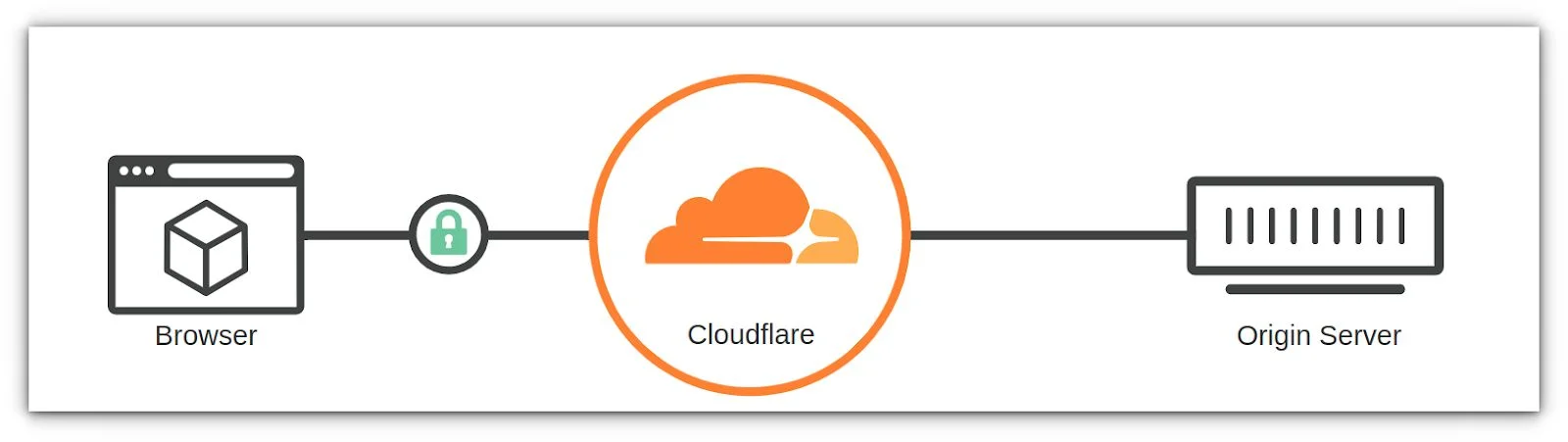
Image source · docs.nexcess.com
Here, authentication means that Cloudflare checks whether the server it connects to behind the scenes has an appropriate certificate. A certificate can be thought of as an electronic document used to identify a server. Nexcess explains that Full (Strict) can use either a certificate from a publicly trusted certificate authority or one issued by Cloudflare for the origin server. 2
The blog author’s concern is that users cannot easily see this distinction. Cloudflare may provide modern encryption on the front-end segment while the state of the infrastructure behind it is different, yet both appear to users as a single website experience. The author argues that operators should also be given clearer notice of this difference. 1
Operators Need to Configure the Back-End Connection Too
The Nexcess example also shows what operators need to do if they want encryption to extend to the origin server. In this guide, they generate a Cloudflare Origin Certificate, install it on the hosting server, and then set Cloudflare’s SSL/TLS mode to Full (Strict). Enabling HTTPS on the front-end connection and installing a certificate on the back-end server are separate steps. 2
The guide’s steps are as follows. First, select the domain in the Cloudflare account and go to the Origin Server menu under SSL/TLS to create a certificate. Check the domain name and certificate validity period, then prepare the generated certificate and private key. The private key is sensitive information used together with the certificate to prove the server’s identity. 2
Next, in Nexcess’s hosting management interface, open the domain’s SSL menu and install the certificate, private key, and Cloudflare root certificate required for the certificate chain. Finally, confirm that the domain is routed through the Cloudflare proxy and select Full (Strict). These steps are an example for the Nexcess hosting environment, so the installation screens may differ with other hosting services. 2
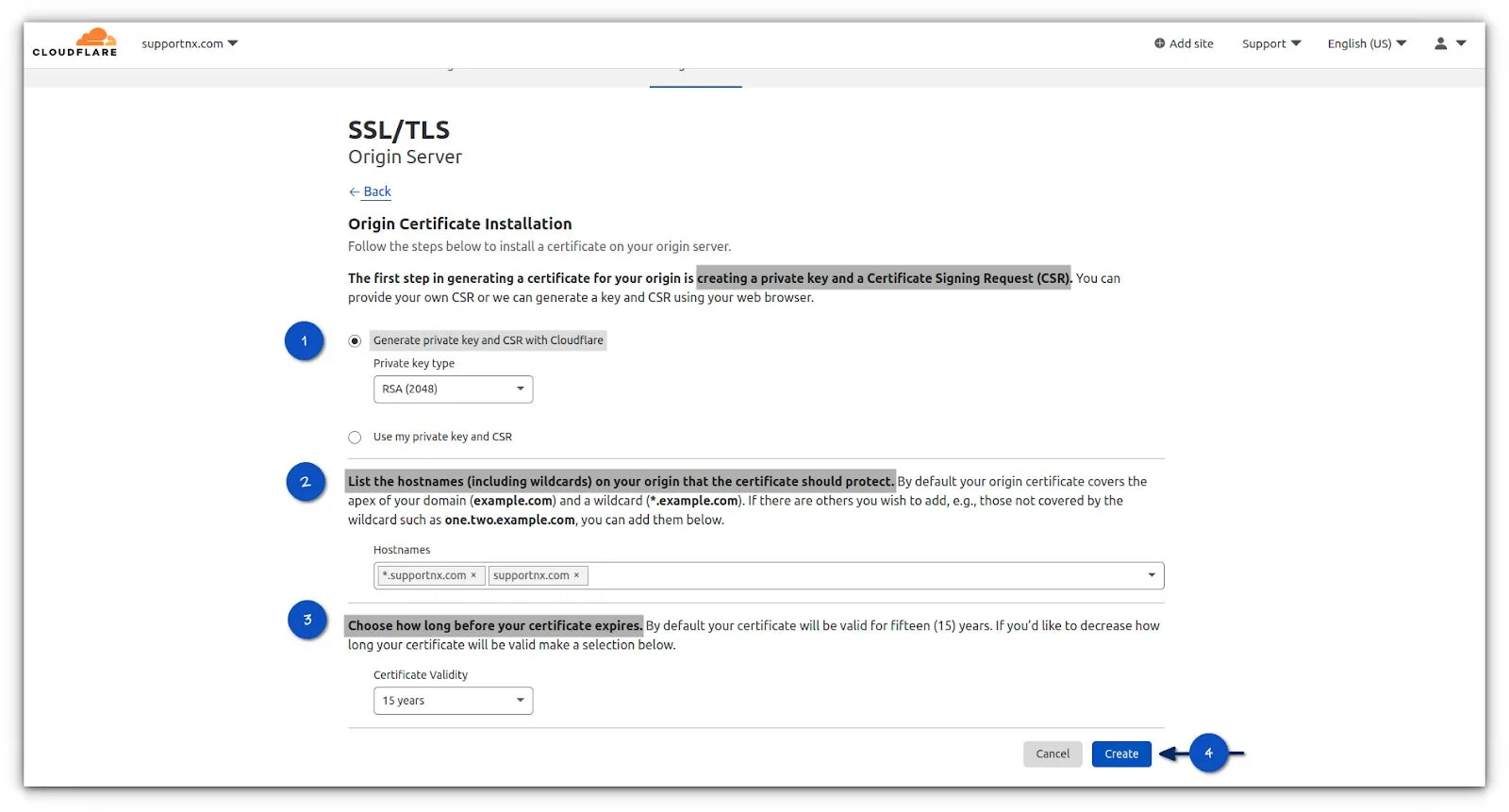
Image source · docs.nexcess.com
There is also a routing requirement when using a Cloudflare Origin Certificate. Nexcess explains that the certificate works properly only when the domain is routed through the Cloudflare proxy; if visitors bypass Cloudflare and connect directly to the origin server, they may see a certificate warning. That is why it is important to consider not only whether a certificate is installed, but also the path actual requests take. 2
Addressing Can Also Differ Between the Two Segments
Another difference the blog author raises concerns IP address versions. An IP address is used to find the other party in an internet communication, and IPv4 and IPv6 are two formats for these addresses. Being able to connect to Cloudflare over IPv6 does not mean Cloudflare connects to the origin server in the same way. 1
According to Cloudflare’s IPv6 guide, when visitors connect to a hostname that supports both versions, the visitor’s software chooses IPv4 or IPv6. By contrast, if the DNS record Cloudflare uses to connect on a site’s behalf contains both the origin server’s IPv4 and IPv6 addresses, Cloudflare prefers IPv4 when connecting to the origin server. So even if the origin server has an IPv6 address, the choices made on the two segments can differ. 3, 1
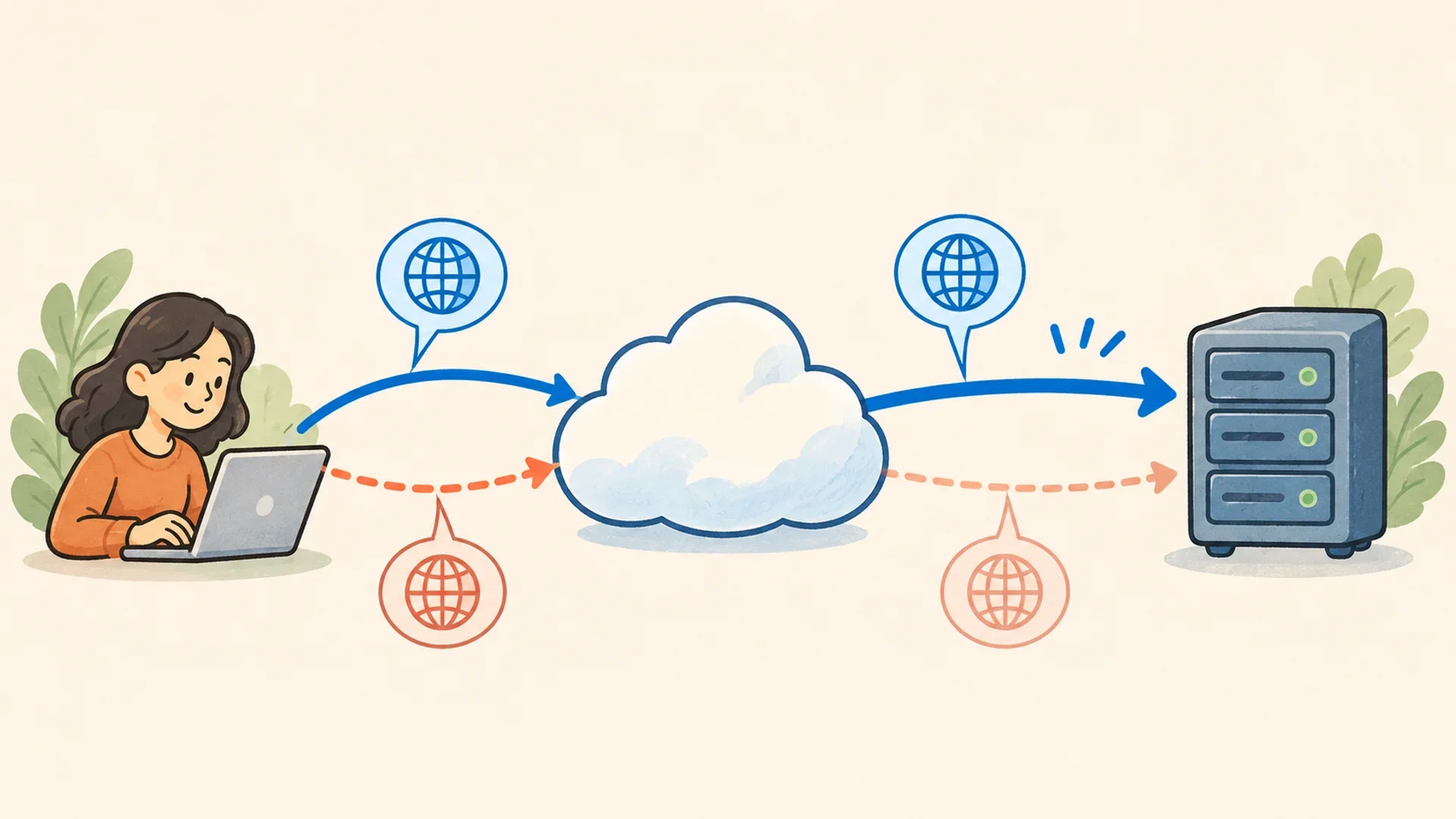
The blog author proposes making the origin connection’s TLS information and IP version more visible so users can better understand each segment, and argues that the operator interface needs more prominent warnings. 1
In Closing
On a site using Flexible mode, the browser may show HTTPS even though communications between Cloudflare and the origin server are not encrypted. The connection indicator visitors see does not tell them whether a request is protected all the way to the origin server. 2
How far did you think your browser’s HTTPS indicator protects your connection?
References
- What Cloudflare Doesn't Tell You | Charlie's Blog · charlie.fish↩
- Cloudflare SSL with Cloudflare origin certificate · docs.nexcess.com↩
- IPv6 compatibility · developers.cloudflare.com↩