
That feeling of helplessness when joining a new team or taking charge of a massive legacy project with hundreds of thousands of lines of code. Have you ever experienced it?
The code is clearly there, but you have no idea where to start, or where the system might break if you touch a specific function.
Today, I want to talk about Understand Anything, an innovative tool designed to rescue us from this "code labyrinth."
200,000 Lines of Code: Why Do We Get Lost?

Every developer faces a chronic issue at some point: the "limitations of codebase comprehension."
When a new hire joins, they are usually told, "Read the documentation." But what is the reality? In many cases, the documentation and the actual code have already drifted apart.
Logic that isn't in the docs is hidden within the code, and as you follow the code flow, you easily lose your way while jumping through dozens of files.
The Real Reasons We Get Lost
- The Hairball Problem (Excessive Dependency): Existing visualization tools often produce "hairball" graphs—tangled messes of lines—when showing relationships between files. They provide plenty of information but make it impossible to discern what is actually important.
- Lack of Context: Code is not just a sequence of syntax. Without "context"—the reason why a specific function exists or its significance within the business logic—code is nothing more than dead text.
- Cognitive Load Explosion: The human brain becomes overloaded trying to process information amidst tens of thousands of nodes and edges. Instead of seeing the Big Picture, we focus only on the trees and eventually burn out.
To solve these problems, an ambitious project emerged that goes beyond simply making "better visualization tools" to create a "tool that teaches you the code." This is Understand Anything, developed by Lum1104.
Beyond Simple Visualization to the Stage of 'Teaching'
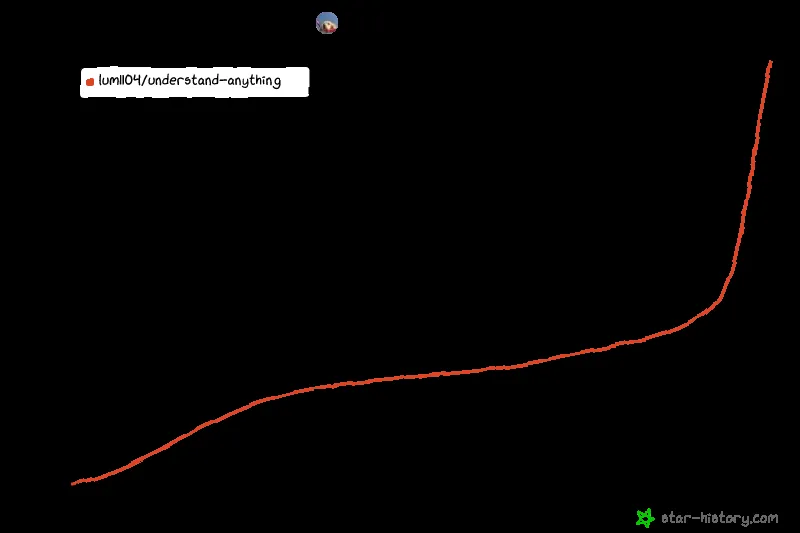
Understand Anything differs from existing visualization tools in its very philosophy. The goal isn't just to "show pretty graphs," but to "help developers understand the code quickly."
This tool utilizes a multi-agent AI pipeline. It provides an experience similar to having a skilled senior developer by your side, quietly pointing out, "This part handles authentication," or "This function is the core of that module."
Three Core Approaches
This project reconstructs the codebase from an entirely new perspective through three key pillars.
First, Structural Graph Exploration It analyzes dependencies between files, functions, and classes to transform them into an interactive knowledge graph. Rather than just connecting lines, clicking a node provides a natural language summary of that module's role within the overall architecture.
Second, Domain View Moving beyond technical implementation, it maps how this code connects to actual business processes. This becomes a powerful weapon not just for developers, but also when communicating with PMs or planners. It allows you to answer questions like, "Where does this code fit into the payment logic?"
Third, Knowledge Base Analysis Beyond simple code, it accepts unstructured data (such as Markdown) like Karpathy-pattern LLM wikis to generate a "force-directed graph" that identifies relationships between explicit and implicit concepts.
Practical Guide to Using Understand Anything to Its Full Potential
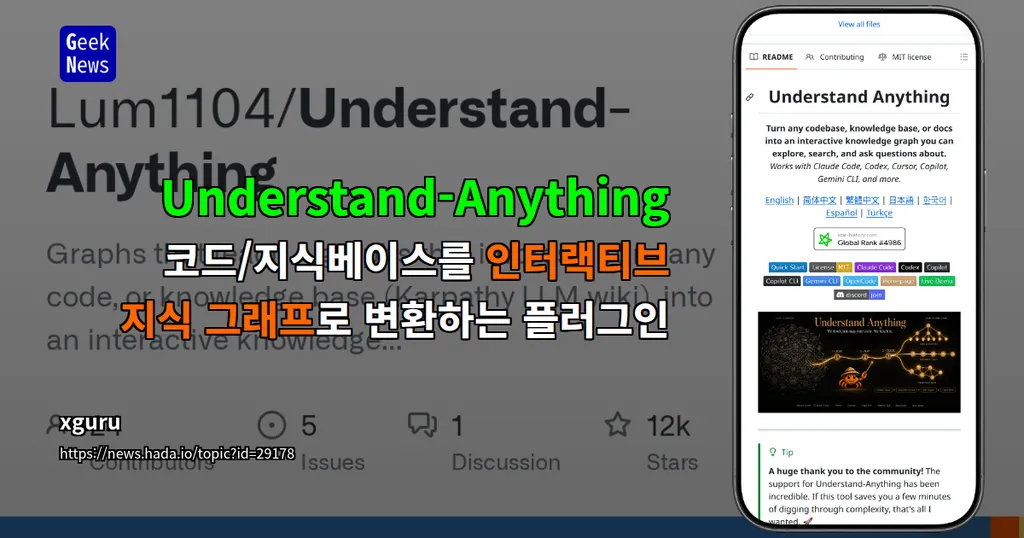
As of 2026, this tool is designed to integrate flexibly into development environments. It is perfectly compatible with the AI coding tools we use every day, such as Claude Code, Cursor, VS Code (Copilot), and Gemini CLI.
So, how can you apply this powerful tool to your workflow?
1. Installation and Initial Setup
Installation is very simple. macOS and Linux users can use a one-line script, while Windows users can install it immediately via a PowerShell command. If you are using Cursor or VS Code, the plugin is automatically detected simply by cloning the repository, without any complex installation process.
2. Mastering Key Commands
The magic begins with just a few commands in the terminal.
/understand: Scans the entire codebase to generate a knowledge graph. Running this command creates the.understand-anything/knowledge-graph.jsonfile./understand-dashboard: Opens an interactive web dashboard based on the analyzed data. Here, we "learn" the code by clicking and exploring the graph./understand-chat: Allows you to ask questions in natural language. If you ask, "Where is the authentication logic?", the AI will find the exact location based on the graph./understand-diff: Performs Diff Impact Analysis, predicting how code changes will affect other parts of the system.
3. Utilizing for Team Collaboration and Onboarding
The true value of this tool shines when working in teams. Commit the generated knowledge graph (JSON file) to your Git repository. This way, when a new team member joins, instead of a long onboarding session, you can hand them a map of the project with a single /understand-dashboard command.
Tip: For Korean-speaking teams, don't forget the --language ko parameter. Everything from node summaries to guided tour explanations will be provided in familiar Korean.
Closing: You Are the Owner of the Code, Not the Graph

Understand Anything is not just a tool that draws code. It is an "intelligent map" that finds the order hidden within complexity and helps developers master the flow of the code.
Of course, AI cannot do everything for you. Designing and making decisions regarding core logic remains a human domain. However, by using this tool, the time spent grasping the "context" that informs those decisions will be drastically reduced.
If you are struggling in a swamp of complex code, stop blindly digging through files and start painting the Big Picture.
When you are assigned to a new project, what is the first thing you check? If you have your own tips for understanding code, please share them in the comments!
References
- Yuxiang Lin Lum1104 - GitHub · github.com
- Understand Anything — Graphs that teach the codebase · understand-anything.com
- Comment # // 먼저 찾는 사람들은 이미 보고 있는, 요즘 실무자들의 IT ... · instagram.com