"I need to fix some Excel macro code, but I don't have Excel installed on my laptop right now..."
This is a frustrating moment that developers or data analysts have likely experienced at least once. For decades, VBA (Visual Basic for Applications) has played a pivotal role in enterprise automation, but paradoxically, its power has been confined within the massive fortress of 'Microsoft Excel.' In this closed environment, where even fixing a single line of code was impossible without Excel, a revolutionary project called XLIDE has recently emerged, stirring up the community.
Today, we will conduct an in-depth comparison of our traditional ways of handling VBA and new alternatives, focusing on XLIDE, an attempt to break Excel's monopolistic ecosystem.
The Trapped Giant: Limitations of the Traditional VBA Development Environment
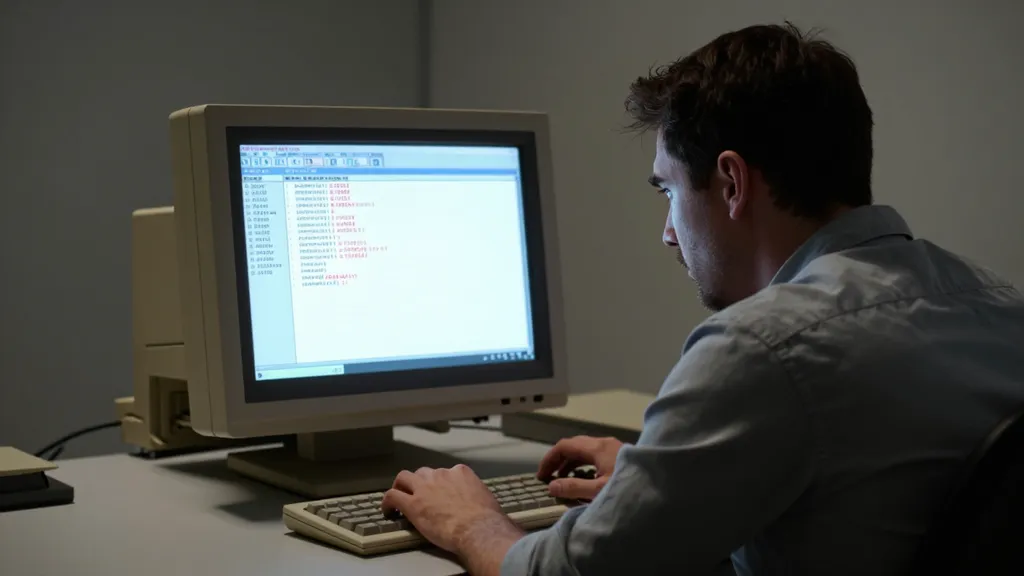
Traditional VBA development, as we know it, actually involves a rather painful process. It begins with launching Excel and pressing Alt + F11 to enter a very old interface called the VBE (Visual Basic Editor). Compared to the sophisticated development tools of 2026, the VBE feels as if you've taken a time machine back to the 90s.
The biggest problem is dependency. As mentioned earlier, VBA is not an independent language. It is structured such that it can only "breathe" if it has a 'host' like MS Office applications—Excel, Word, or Access. Because of this, for developers using Linux or macOS, or in environments where Excel cannot be installed due to licensing issues, writing or testing VBA code was itself impossible.
Furthermore, the gap with modern development workflows is severe. Features that are taken for granted by today's developers—such as version control via Git, code auto-completion, and powerful debugging tools—are very limited in the VBE. The difficulty of tracking code changes when collaborating with teammates or managing tangled code in large-scale projects also becomes a factor that makes corporate 'Shadow IT'—Excel macros running outside official management—even more dangerous.
An Innovative Challenge: A New Path Called XLIDE
The project that emerged to quench this thirst is XLIDE. Led by open-source developer William Smith, this project is an extension based on VS Code (Visual Studio Code). The core idea is clear: "Instead of Excel's heavy interface, let's port the powerful features of modern VS Code to VBA development."
The changes provided by XLIDE go beyond simply being a 'better-looking editor.'
- Modern Editing Experience: You can use VS Code's powerful syntax highlighting, multi-selection, and smart find-and-replace features. Now, VBA code can be written as sleekly as Python or JavaScript.
- Freedom of Version Control: Through seamless integration with Git, you can record the history of your code and enable team-based collaboration. This is a massive advantage when managing macros containing large-scale business logic.
- Integration with AI Agents: The most surprising aspect is the integration of AI tools. Generative AI acts as an 'intelligent partner,' analyzing code, finding bugs, and suggesting better implementations.
- Structural Navigation: Through the Tree View feature, you can grasp complex, intertwined module and macro structures at a glance.
However, there are precautions to take. According to cool-headed community analysis, XLIDE is still in its early stages. Since it consists of an extensive codebase of about 50,000 lines, some argue that more stability verification is needed before using it in actual corporate production environments.
Exploring Alternatives: XLIDE vs. Traditional Methods vs. Other Alternatives
So, what choice should we make? Let's compare and analyze the options currently available to us.
1. Traditional Excel VBE Method
- Pros: No separate installation required, and it is 100% perfectly integrated with the Excel environment. It is the most stable.
- Cons: The interface is very outdated, and modern development tools (Git, AI, extensions) cannot be used. It has very strong OS dependency.
- Suitable Users: General users writing simple macros or those requiring immediate fixes within the Excel environment.
2. XLIDE (VS Code Extension)
- Pros: You can bring the entire powerful ecosystem of VS Code to VBA. AI support and Git integration are possible, and development productivity is overwhelmingly high.
- Cons: As it is in its early stages, there may be bugs, and it functions more as an 'assistant' than a complete 'replacement' for Excel.
- Suitable Users: Developers managing large-scale VBA projects, data engineers, and programmers who prefer modern workflows.
3. Other Alternatives (LibreOffice Basic or Python)
- Pros: You can completely escape the Excel licensing. In particular, Python is the standard in the field of data analysis and possesses much more powerful libraries than VBA.
- Cons: You cannot run existing VBA-based Excel files (.xlsm) as they are. 'Migration' costs occur because you have to rewrite the code from scratch.
- Suitable Users: Organizations looking to completely break away from the Excel ecosystem and move into the realm of data science.
| Comparison Item | Traditional VBE | XLIDE | Python/LibreOffice |
|---|---|---|---|
| Productivity | Low | Very High | High |
| Modern Tool Support | None | Excellent | Good |
| Compatibility (Existing Files) | Perfect | High | Low (Rewriting required) |
| Learning Curve | Low | Moderate | High |
Conclusion: What kind of future should we prepare for?

In conclusion, XLIDE is an innovative attempt to breathe 'modern life' into the old language of VBA, going beyond a mere code editor. Although the project is in its early stages and has not completely severed the strong dependency on Excel, its value is sufficient in that it allows developers to fight with modern weapons even within the walls of Excel.
If you are struggling with complex macros every day and feeling stressed due to the outdated interface, XLIDE will definitely be an attractive breakthrough. However, if you are dealing with large-scale corporate systems, you must keep in mind both the convenience this tool provides and the stability issues that still remain.
Ultimately, the flow of technology is moving from closed monopolies to open collaboration. The growth of open-source projects like XLIDE will change our perspective of Excel from a 'simple spreadsheet' to a 'flexible automation platform.'
What do you think? Will you stick to Excel's old-fashioned editor, or will you prepare to transition to new tools like XLIDE? Please share your experiences and opinions in the comments!
References
- Hacker News: "XLIDE: VBA without excel http…" - Mastodon · mastodon.social
- XLIDE: VBA without excel | Hacker News · news.ycombinator.com
- XLIDE: VBA for VS Code - Visual Studio Marketplace · marketplace.visualstudio.com
- Exploring Excel VBA without Microsoft Excel? - Super User · superuser.com