"I clearly finished the entire PPT draft with AI yesterday, so why do I see absolutely nothing worth using this morning?"
Did you feel this same sense of helplessness today? As of 2026, 7 out of 10 office workers are using AI, and a staggering 92.5% of the IT industry considers AI a core part of their work. Yet, ironically, we are spending even more time sitting in front of our computers, struggling.
I thought AI would do my work for me, but instead, I feel like I'm just accumulating 'cognitive debt' while checking and correcting the results produced by AI. As technology advances, are we becoming smarter, or are we regressing? Today, to solve your dilemma, I want to go beyond simple tool introductions and propose a strategic workflow to treat AI as your 'true assistant.'
Why are we still busy and anxious even when using AI?
First, we must examine the fundamental reason why we experience greater stress in the AI era. It is not simply a matter of "AI being difficult."
The first cause is the 'trap of Cognitive Offloading.' According to a recent study by the MIT Media Lab, users who leave all decision-making to AI showed a shocking 47% decrease in brain connectivity. In other words, the moment we accept AI's answers without question, our capacity for critical thinking drops sharply. The output may look polished, but we end up in a state of 'cognitive void' where nothing remains in our own minds.
The second is 'Technostress.' According to a 2025 survey, 53% of workers experience job stress due to the pressure of learning new technologies and monitoring system errors. The moment AI feels less like an assistant and more like a 'demanding boss' you have to serve, burnout arrives instead of efficiency.
Ultimately, the problem is not the number of AI tools. The core issue is the lack of 'workflow design capability'—knowing which tools to use, in what order, and with what attitude.
10 Practical Strategies to Perfectly Command Your AI Assistant
Now, let's look for real solutions. By combining the most advanced tools available in 2026, I have summarized '10 Pro-Tips for Utilizing an AI Assistant' that will drastically reduce your working hours.
1. Automate the start of meetings with 'daglo'
The era of sitting in front of a laptop typing minutes is over. Use daglo, which boasts the best Korean recognition and speaker diarization. Simply recording a meeting completes the transcription, and the recently updated 'AI Slide' feature summarizes the meeting content and converts it directly into a draft PPT for presentations.
2. Leave data analysis and strategy formulation to 'Gemini 3.1'
While GPT is good at simple summaries, Gemini 3.1 is overwhelming when you need practical marketing strategies or professional guidelines. For example, when planning marketing for a specific product, its ability to suggest everything from legal interpretations to specific CPC (Cost Per Click) strategies surpasses other models.
3. Collaborate with 'ChatGPT' and 'Claude' for report frameworks
Use ChatGPT's powerful data analysis capabilities to build the skeleton of your report, and use Claude, which is strong in natural Korean expression, to refine the prose. If ChatGPT is the 'brain,' Claude acts as the 'editor.'
4. Finish the PPT design 'grunt work' with 'Gamma' and 'Canva'
Don't stay up all night trying to set the layout for every single slide. Use Gamma to establish the structure by providing just a single line of a topic, and finish by generating images through text using Canva AI for visual details.
5. Use 'Perplexity' to increase the quality of information retrieval
If you are tired of ads and unnecessary information in Google search results, Perplexity is the answer. It provides accurate answers and citations based on reliable evidence, making it the best partner for reinforcing the logic of your reports.
6. Elevate the professionalism of business emails with 'DeepL'
If you engage in frequent global collaboration, use DeepL instead of a simple translator. It has an excellent ability to read context, providing sophisticated paraphrasing that feels like professional local business etiquette rather than a literal translation.
7. Integrate collaboration and schedule management with 'Notion AI'
Moving between multiple apps is also stressful. By utilizing Notion AI, you can immediately correct sentences while writing documents or automatically extract to-do lists from meeting notes, ensuring your workflow remains uninterrupted.
8. Delegate tasks using 'Agent' models
Look beyond simple chatbots that just answer questions and keep an eye on agent models like Manos, which receive user instructions to perform tasks autonomously. They are becoming closer to 'true assistants' that execute entire business processes without detailed step-by-step instructions.
9. Always treat AI output as 'Version 1' (Most Important!)
As Deloitte experts emphasize, the moment you accept AI-generated results as a 'final version,' your thinking stops. Always consider AI output as a 'beta version' that requires revision. Your role should be that of an 'Approver,' not a 'Writer.'
10. Build literacy through 'Vibe Coding' and customized learning
Learn latest trends like Vibe Coding, which allows you to create apps using natural language even if you don't know how to code. Additionally, you must continuously improve your AI literacy using customized learning tools that explain complex AI terminology in everyday language. In 2026, AI proficiency is a fundamental skill as important as writing ability.
The Attitude of a 'Smart Worker' to Prevent Cognitive Regression
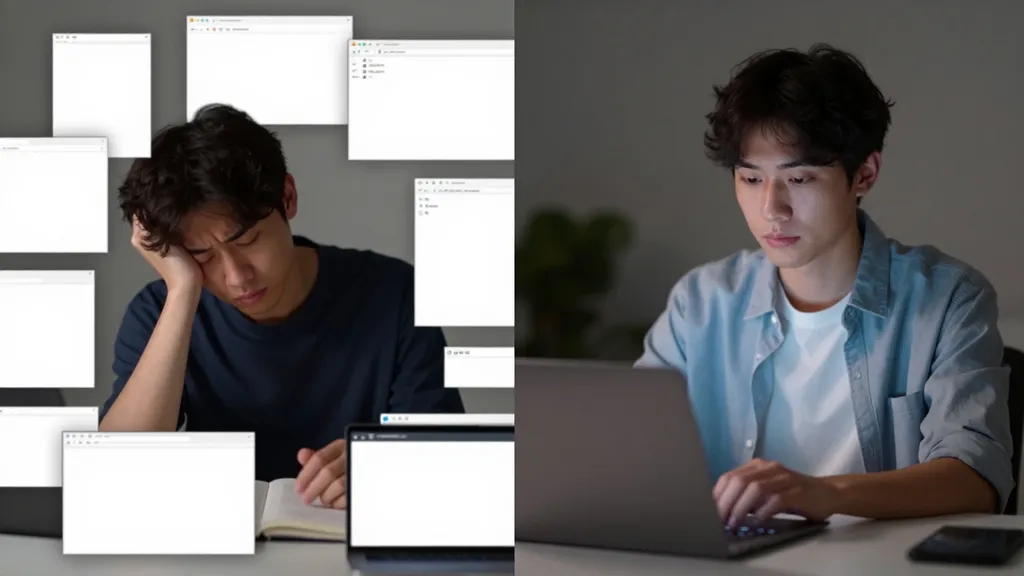
We have reviewed 10 tips. However, there is a core point you must remember: no matter how good technology becomes, the final judgment and creative connection remain the domain of humans.
Using AI indiscriminately is like entrusting your body to an exercise machine without using your muscles. Your muscles might be maintained, but your body's strength will weaken. What we must guard against when using AI is the 'outsourcing of thought.'
The most ideal approach is: "AI creates the draft, and I find the logical flaws in that draft to decide on a better direction." In other words, we can truly become the protagonists of the AI era only when we use AI not as a 'calculator that gives answers,' but as a 'tutor' that expands our thoughts.
AI can increase work efficiency, but what determines the value of that work is ultimately your critical thinking and insight.
Now that you are equipped with a powerful AI engine, it is your turn to decide where to sail. Which tool among those introduced today would you like to introduce to your workflow first?
Please share your AI usage know-how or any unexpected difficulties you've experienced in the comments! Let's think together and create a smarter working environment.
References
- PPT 노가다 끝! 진짜 AI PPT는 이거였습니다!(2026년 최신 ... · youtube.com
- 직장인 필수 AI 툴 Top 10 - 다글로 블로그 · daglo.ai
- [나우앤서베이 설문] '직장인의 AI 활용 실태와 인식 조사' 결과 ... · nownsurvey.com
- 2026년 AI 도구, 프롬프트 작성 및 실용 기술 마스터하기 · jenova.ai
- 생성형 AI가 비판적 사고에 미치는 영향: 자기보고된 인지 ... · kr.linkedin.com
- AI 챗봇이 사람들의 '생각하는 능력'을 저해할까? · bbc.com
- 장기간 AI 과다 사용, “인간 인지능력 크게 떨어뜨려” · apple-economy.com
- 비서의 테크노스트레스가 직무스트레스에 미치는 영향 · jiisonline.org