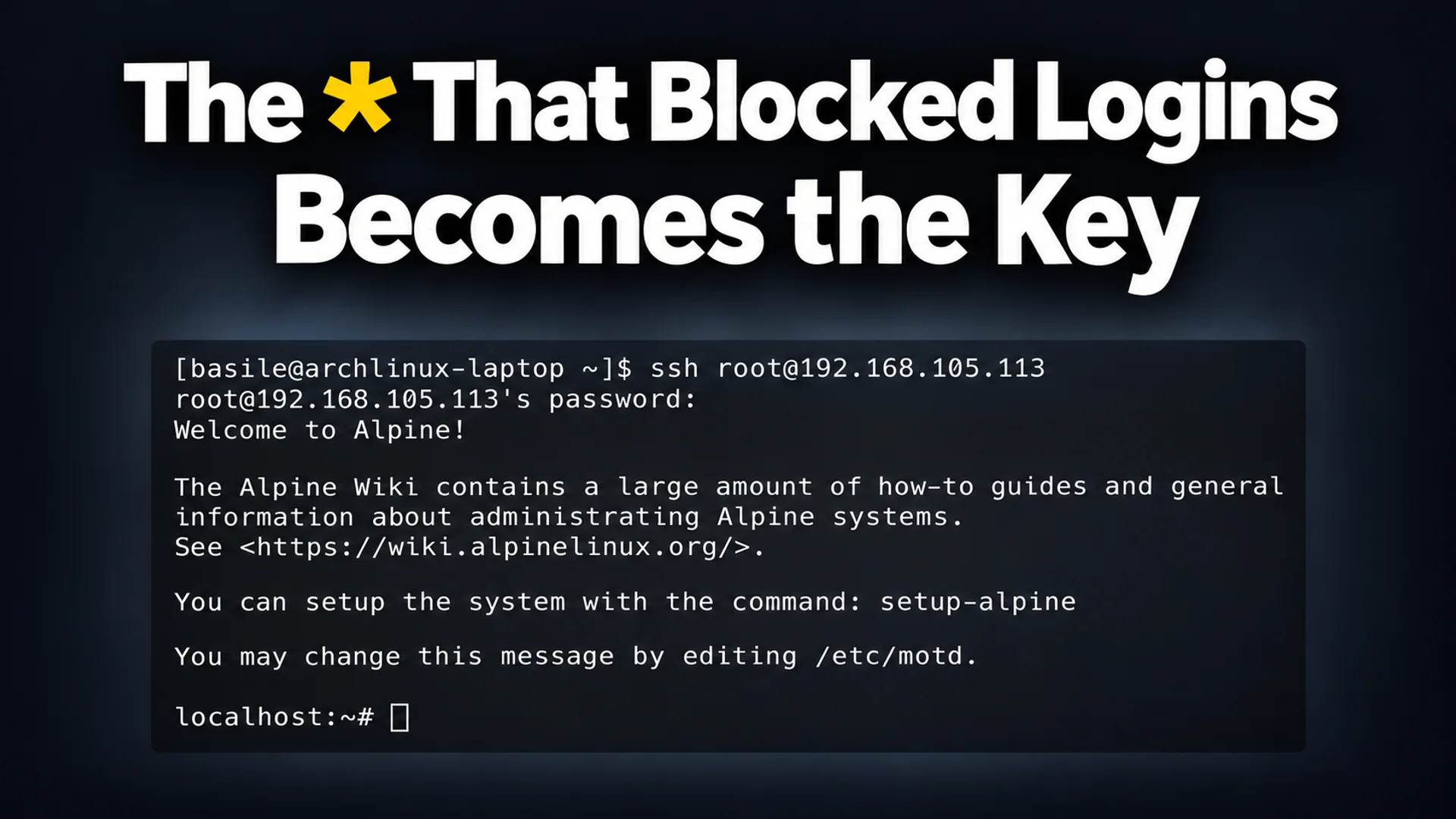
In 1980, Unix developer Bill Joy placed an asterisk (*) in the password field of the daemon account to ensure no one could log in. At the time, password hashes were stored in the world-readable /etc/passwd file. Since * is not a hash, it could not match any password and functioned as a mechanism to completely block logins. The real name field for this account read 'the devil himself' 1.
In 2026, however, this * entry has effectively become a key that grants access by accepting any input between 257 and 1024 characters. The 'sshhole' vulnerability, disclosed by the researcher who discovered this issue, arises when the timing attack defense logic used by servers to obscure account information via response time differences coincidentally overlaps with the password length limit in the Linux library musl 2. It specifically appears in lightweight environments that do not use PAM (Pluggable Authentication Modules), such as Alpine Linux or OpenWrt. This issue has been fixed in OpenSSH version 10.6p2, released on November 5, 2026 3.
How * Becomes a Key: A Conflict of Three Rules
The sshhole vulnerability occurs when three security measures, created at different times and for different purposes, meet in a single line of comparison code. Each measure was valid in itself, but when combined, they allowed for authentication bypass.
-
Change to musl Library's Failure Return Value (2012): musl, one of the C standard libraries, was modified so that when the
crypt()function (which calculates password hashes) fails, it returns*instead ofNULL. This was done to prevent programs from crashing because developers did not handle theNULLvalue. Since normal password hashes look like$6$salt$hash, developers assumed that*would not match any actual password 2. -
Introduction of the 256-Character Limit (2012): Around the same time, musl imposed a 256-byte length limit on SHA-512 hash calculations. Longer passwords increase calculation time, so this limit prevents very long inputs from keeping the server busy for too long and affecting other connections. If input exceeds 256 characters, it immediately returns the failure value
*without even performing the calculation 2. -
OpenSSH's Timing Attack Defense (2016): OpenSSH changed its logic to prevent timing attacks where hackers could deduce account information because response times were shorter when connecting to 'non-existent accounts' (CVE-2016-6210). Originally, when a login attempt occurred for an account without a hash (such as
*), it was immediately rejected. After the fix, however, the system borrows a 'salt (security random number) from another account' to virtually calculate a hash as if it were calculating a real hash, before ultimately failing the attempt 2.
Point of Conflict:
When accessing an account marked with * using a password of 257 characters or more (and 1024 characters or less), authentication passes through the following flow. However, for this bypass to work, there must first be a history of failure with a normally-sized incorrect password 2.
- OpenSSH determines that actual hash calculation is impossible because the stored value is
*. - To maintain timing consistency, it borrows a salt from another account and attempts to calculate a hash using the 257-character password entered by the user.
- Since the server is using the musl library, it returns
*as the calculation result for the input exceeding 256 characters. - The server treats authentication as successful because the 'calculated result (
*)' and the 'stored password field (*)' match as strings 2.
Conditions Verified Through 17,600 Tests
This vulnerability does not appear on all servers. The researcher who disclosed the issue by operating sshhole.com created multiple OpenSSH builds by combining glibc and musl libraries, PAM usage status, and shadow file configurations. After performing approximately 17,600 abnormal login attempts with these builds, they confirmed that this authentication bypass succeeds only in builds that use the musl library and have PAM disabled 2.
Most general Linux distributions (Debian, Ubuntu, Fedora, etc.) use the PAM authentication module. PAM rejects authentication by not even calling the hash calculation function (crypt()) when the password field is *, so general environments are not exposed to this vulnerability. The test environment of the OpenSSH project itself focuses on OpenBSD and glibc, which means this specific 'musl + PAM disabled' combination had remained unverified for a long time 2.
Practical Threats in Alpine Cloud Images
The concern regarding sshhole is particularly high because the official cloud images for Alpine Linux (AWS, Azure, etc.) have these conditions set as defaults.
Prior to version 2019, Alpine Linux suffered from a vulnerability (CVE-2019-5021) where the root account had an empty password, allowing login with a blank password. To prevent this, the password field was changed to !. However, in environments not using PAM, setting the field to ! caused a side effect where SSH key-based authentication was also blocked. Consequently, starting with Alpine version 3.16 (2022), the password field was reverted to * to preserve key login 2, 4.
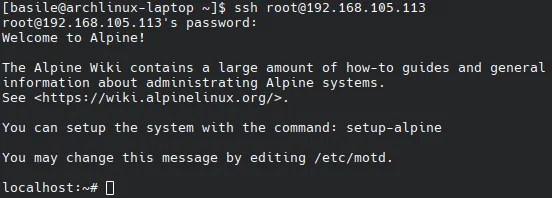
The default state of official Alpine cloud images includes the settings PasswordAuthentication yes and UsePAM no. Moreover, the alpine account generated by default is configured to use doas (a privilege escalation tool) without a password. Therefore, an attacker can log in to the alpine account using an arbitrary string of 257 to 1024 characters, and then immediately acquire root privileges without further authentication by using the doas command 2.
Immediate Response and Inspection Methods

The sshhole vulnerability has been officially fixed in OpenSSH version 10.6p2, released on November 5, 2026 3.
1. Update The safest action is to update OpenSSH to version 10.6p2 or higher. On Alpine Linux, you can update using the following command.
apk upgrade openssh2. Configuration Change
If updating is not possible, password authentication itself should be disabled. Add the following content to a configuration file such as /etc/ssh/sshd_config.d/00-no-passwords.conf.
PasswordAuthentication noAfter changing the configuration, you must restart the SSH service using the rc-service sshd restart command for the changes to apply on Alpine Linux 2.
3. Checking for Intrusion
To check if a server has already been compromised, examine the server logs. If there are records showing that an account with a password field exactly matching * successfully logged in using 'password authentication,' consider the possibility that this vulnerability was exploited 2.
References
- *sshole · sshhole.com · sshhole.com↩
- Sshole - musl 기반 OpenSSH에서 비밀번호 인증을 우회하는 취약점 | GeekNews · news.hada.io↩
- OpenSSH · openssh.org↩
- ↩