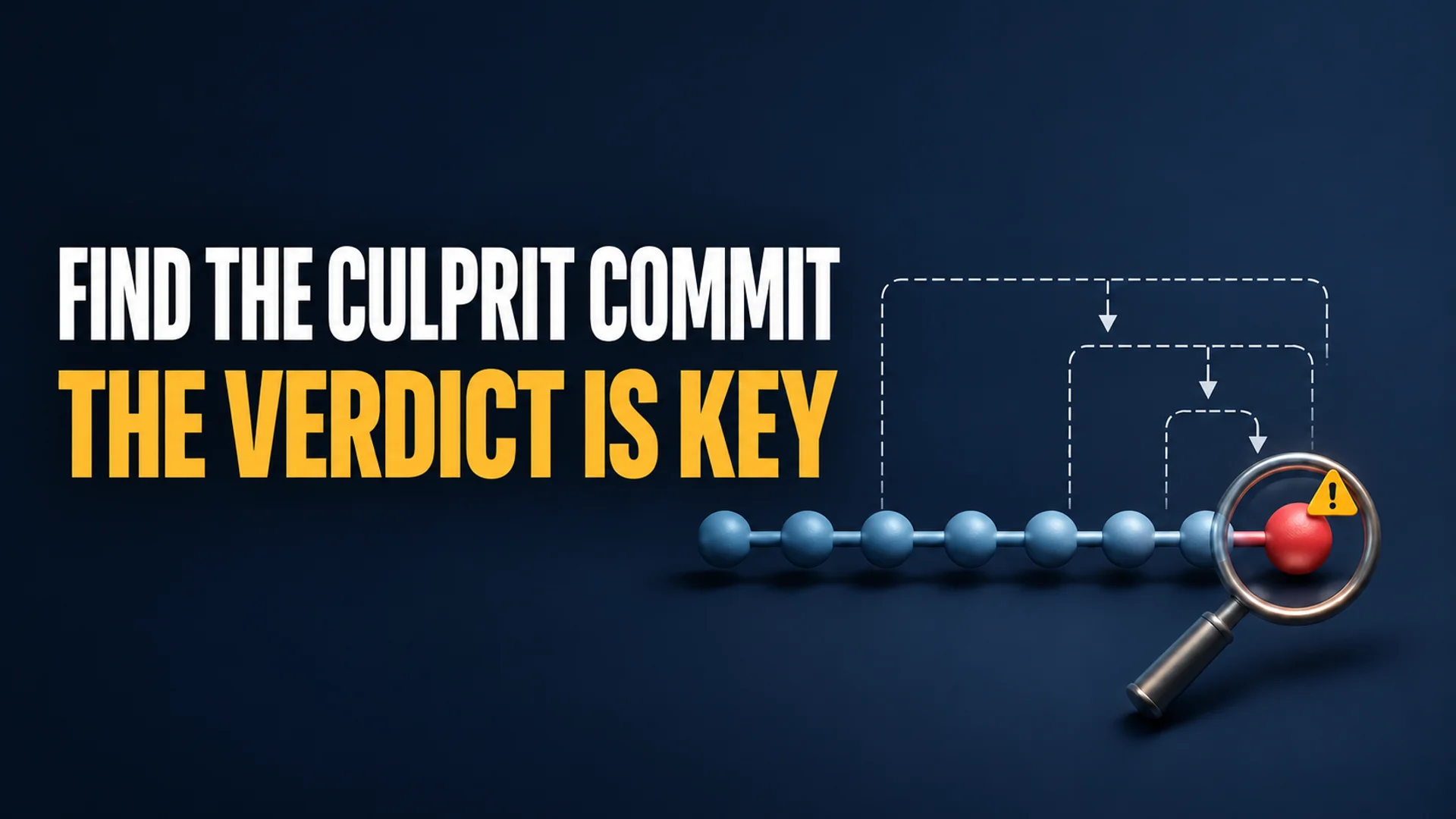
The payment.spec.js that passed CI last night failed in the morning build. There are 200 commits merged since the last stable release tag. Scrolling up through git log and glancing at diffs corresponds to a linear search, so building and testing every commit consumes significant time. Let us assume this is a hypothetical scenario where such a regression occurred, rather than a personal experience.
In this situation, git bisect adopts a strategy of “eliminating half at each step” instead of “checking one by one.” By setting a known good commit and a commit where a failure was found (bad) as boundaries, Git checks out the middle commit of the candidate set. The user must test this commit and report it as either good or bad. Since the number of candidates is halved with each judgment, a range of 1,000 commits can be narrowed down in approximately 10 iterations (log₂1000 ≈ 10) 1. For 200 commits, the range converges within approximately 8 iterations.
However, this calculation holds true only when all judgments accurately reflect the actual behavior of the commits. If a commit is misidentified as bad because the build is broken and the code cannot be executed, or if an automation script fails to run and returns exit code 127, the outcome changes. Git may select the wrong half or mark all commits as bad, rendering the results meaningless 2.
Preparation of Reproduction Conditions and Boundaries Before Starting the Search
For git bisect to work correctly, the state of the two points must be clear. That the current HEAD is bad means the regression is reproducible, and that a past tag is good means there was no regression at that point. If this premise is shaky, the entire search process goes astray.
Nodelog Engineer points out that if a point chosen as good was already broken, the results may be distorted. Therefore, it is recommended to set the good boundary at a tag that is clearly before the bug was introduced, rather than at a “recent commit that appeared normal” 1.
When judgments are made by a script rather than a human, the location where the script is executed also affects the results. tms-outsource explains that it is safer to place the judgment script outside the repository. This is because test files added later do not exist in previous commits, which could lead to failures due to the absence of test files rather than code issues 2. If you try to execute payment.spec.js, which was added 200 commits later, on a past commit within the search range, you cannot distinguish whether the failure is due to the code of that commit or the absence of the test file.
Therefore, commands that verify the regression should be placed in a path outside the repository or prepared in an isolated state including dependency installation (such as npm ci) 1. This avoids misjudgments caused by environmental residues from previous commits. It is also good practice to clean the working space before starting the search. Since uncommitted changes can interfere with checkouts, it is recommended to isolate changes using git stash and similar commands 2.
Narrowing the Search Range by Setting Good and Bad Boundaries
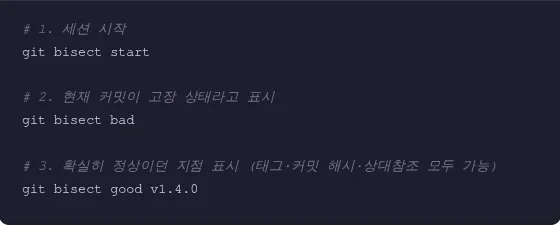
The session starts with git bisect start. The current commit where the failure was found is registered as git bisect bad, and the point confirmed as normal is registered as git bisect good. The official GitLab documentation summarizes this sequence as “identifying bad and good commits to specify the boundaries” 3.
git bisect start
git bisect bad          # 현재 HEAD = 회귀 재현
git bisect good v1.4.0  # 태그·커밋 해시·상대참조 모두 가능
An abbreviated form can be used to pass both revisions at the starting point. Writing bad first and good second, as in git bisect start HEAD v1.4.0, specifies both boundaries at once 2.
There are also means to reduce the search space itself. You can add a pathspec to target only commits with changes in specific paths. As shown in the Git documentation example, methods like git bisect start -- arch/i386 include/asm-i386 limit candidates to changes in specific directories or files 2. In the hypothetical payment logic example, this can be used to exclude unrelated documentation changes or CI configuration changes from the candidates.
Additionally, specifying multiple known-good commits narrows the search space further. Listing multiple normal commits after the bad commit can further reduce the range 2. Since the benefits of log₂ calculation increase as the search range widens, such preprocessing is effective for reducing the “width of the boundary” rather than just the “failure point.”
Inspecting the Middle Commit, Bypassing via Skip, and Visual Confirmation
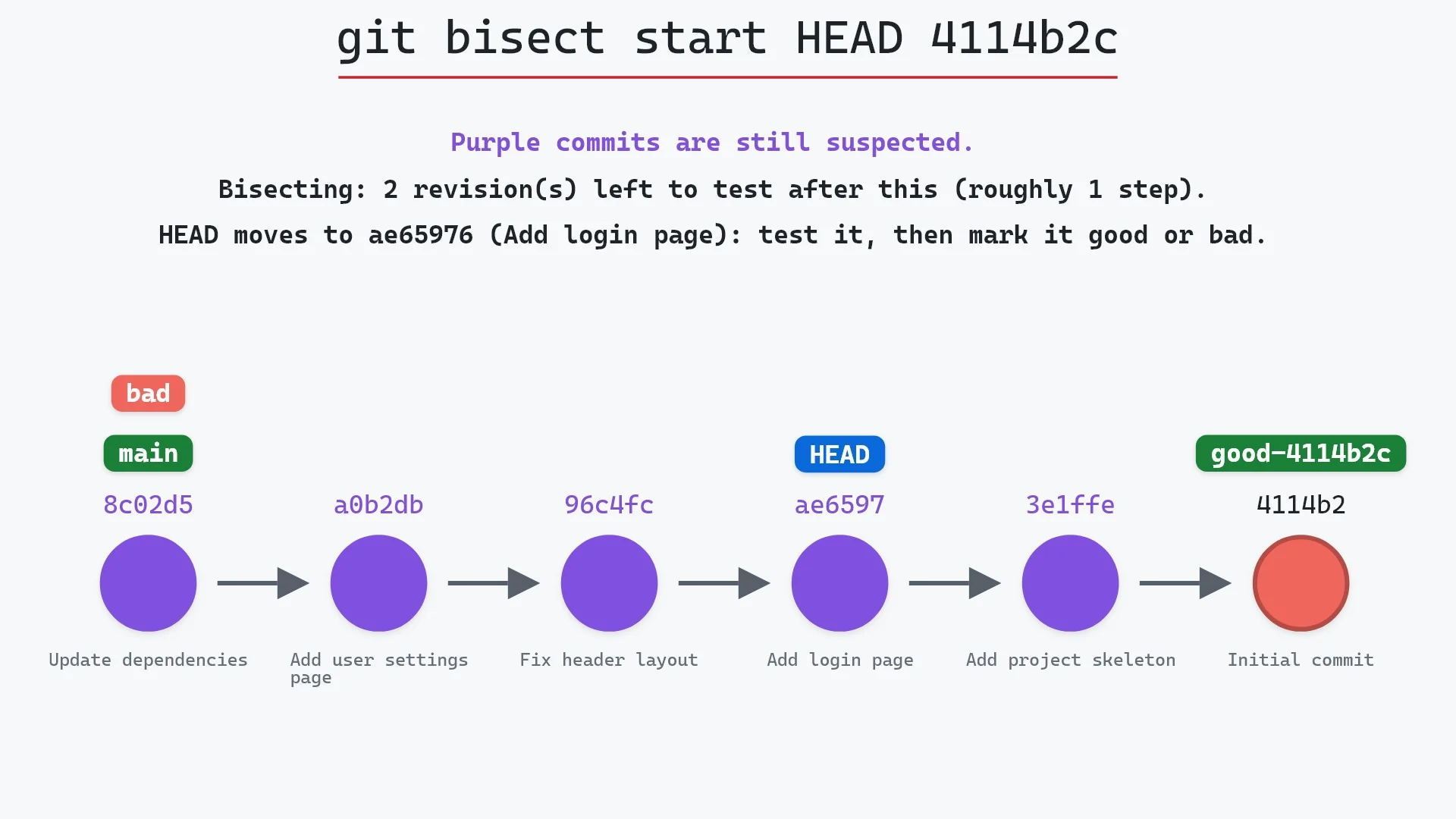
Once the two boundaries are set, Git automatically checks out the commit at the midpoint of the candidate set. At this point, Git outputs the remaining number of candidates and the estimated number of steps.
Bisecting: 63 revisions left to test after this (roughly 6 steps)
This output allows the user to anticipate how many times they need to make judgments. Official documentation examples also confirm the flow of candidates halving, such as "675 revisions left, roughly 10 steps" 12.
The user builds the checked-out commit, confirms whether the regression is reproduced, and then enters only the result.
# 회귀가 재현되면
git bisect bad
# 정상이면
git bisect good
If the middle commit is answered as bad, it means “the culprit is before (or is) this,” so Git excludes the subsequent range. If answered as good, it means “the culprit is after this,” so it excludes the prior range. This rule eliminates candidates in log₂ steps 2. Finally, a single hash and a list of files modified by that commit are displayed, as in b9f0e1a2c3... is the first bad commit 1.
Commits may occur where the build itself fails, making it impossible to determine good or bad. In such cases, git bisect skip can be used to skip the current commit. Git bypasses to a nearby other commit and continues the search 1. Skipping can also be applied to ranges. Entire sections can be marked as in git bisect skip v2.5..v2.6 1.
However, skip comes at the cost of precision. According to tms-outsource's explanation citing the Git official documentation manual, if a commit adjacent to the culprit commit is skipped, Git cannot precisely pinpoint “which of the two came first” 2. While it is a means to avoid stopping the search, precision may decrease. If skipped candidates are adjacent and indistinguishable, Git prints the entire candidate list and stops. In this case, you can use git bisect visualize to visually inspect the remaining suspicious candidates in gitk and recover by manually judging one adjacent normal commit 1.
Automation: git bisect run and Exit Codes Determine the Results
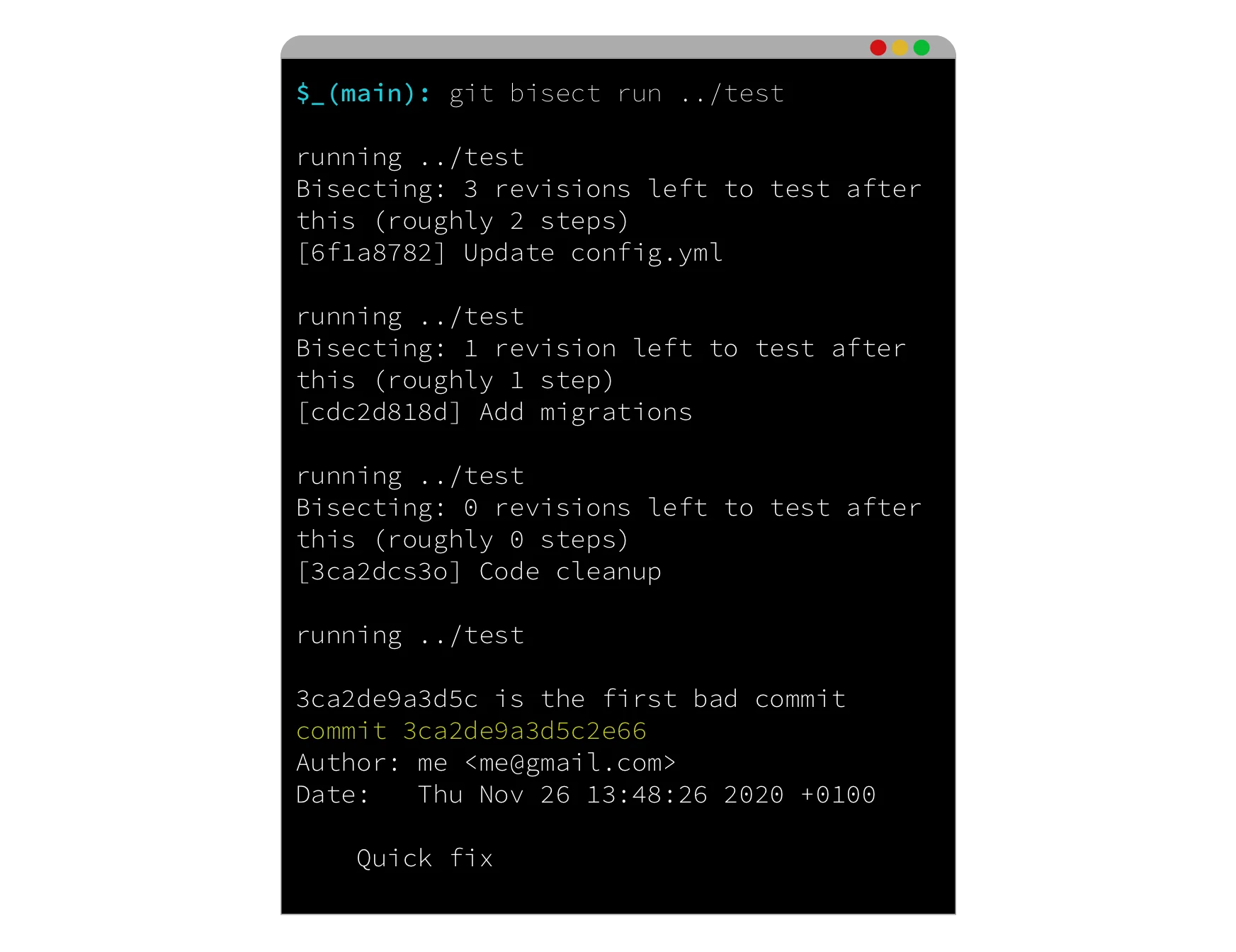
Instead of a human entering good/bad at each step, judgments can be automated using the script’s exit code. git bisect run <스크립트> executes a command at each checked-out commit and interprets the exit code as a judgment.
Christian Couder (contributing to LWN.net on February 3, 2009) specified that an exit code of 0 is interpreted as good, and other values (excluding 125 and values ≥128) as bad. He also suggested a pattern of requesting skip with 125 for commits where the build fails and the regression status cannot be determined 4.
git bisect start
git bisect bad
git bisect good v1.4.0
git bisect run npm test -- payment.spec.js
The meaning of exit codes is as shown in the following table 12.
| exit code | judgment | situation |
|---|---|---|
| 0 | good | test passed |
| 1~124, 126, 127 | bad | test failed |
| 125 | skip | unable to verify (e.g., build failure) |
| 128~255 | abort | search aborted (signal, intentional exit, etc.) |
Two pitfalls to be aware of here must be highlighted.
First, exit code 127. POSIX shells return 127 when a command is not found. If there is a typo in the script path and the command itself does not execute, 127 is returned. Git interprets this as “bad,” marking all commits as bad, and the search ends with meaningless results 2. This is because “the test failed” and “the script did not exist so it could not run” are grouped together as the same bad. Therefore, it is essential to verify that the script is executable before automation 2.
Second, distinguishing between build failures and regression failures. If a compilation error, rather than a test failure, returns exit code 1 or 2, that commit is recorded as bad. However, the cause of failure may be the build environment rather than a regression. Couder suggests the make || exit 125 pattern to clearly skip in case of build failure 4.
#!/usr/bin/env bash
# 저장소 밖에 두는 편이 안전합니다 [S13]

make build || exit 125    # 빌드 실패 = 검증 불가 → skip

if ./run-app --check-payment; then
  exit 0                  # good
else
  exit 1                  # bad (회귀 재현)
fi
This single conditional clause is the key device that separates “build failure” from “regression.” Placing this script at a path outside the repository also reduces misjudgments caused by missing test files in past commits 2.
Automation also has prerequisites. In Couder's contribution, Andreas Ericsson (a Git developer) explained that “to use git bisect, all commits must be kept small and bisectable,” requiring a workflow where tests revealing regressions are written for each commit 4. While automation eliminates the labor of inputting judgments, it requires the effort of keeping reproduction scripts ready at all times. Ericsson reported that the report-fix cycle based on internal trackers decreased from an average of 142.6 hours to 16.2 hours, but this is an experiential figure measured in a specific tracking system and depends on the prerequisites of commit granularity and regression test creation 4.
Reset and Interpretation of Results After the Search
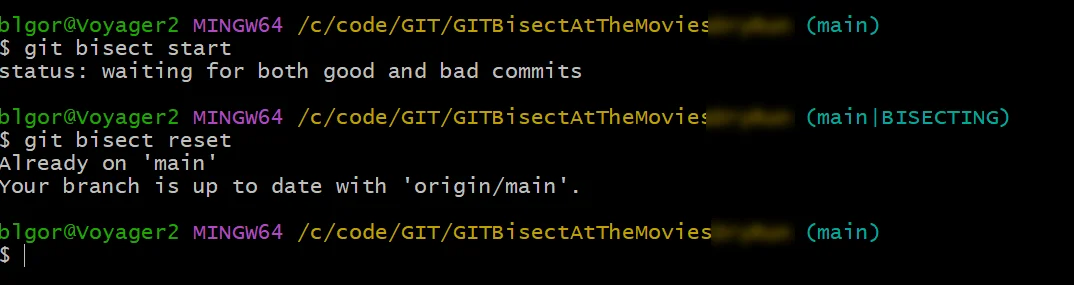
Once the search is complete, git bisect reset must be executed. During bisect, Git checks out candidate commits by hash, resulting in a detached HEAD state. If not reset, work continues while stuck on an intermediate commit. Nodelog Engineer advises to “run this habitually,” and Pro Git warns that “skipping the final reset leaves the repository in an abnormal state” 12.
If arguments are passed to git bisect reset, the destination changes.
git bisect reset          # 세션 시작 전 HEAD로 복귀
git bisect reset bisect/bad  # first bad commit으로 복귀
git bisect reset HEAD      # 탐색 중 커밋에 머무름
If executed without arguments, it returns to the branch prior to the search 2.
The output first bad commit only informs that “this is the commit where the change was introduced”; it does not explain “why” the regression occurred. The final output shows the commit hash and the list of files modified by that commit, and reading the diff to identify the cause must be performed by a human 2.
The first bad commit may appear as a merge commit. In this case, as Nodelog Engineer guides, you can bisect within that branch again to narrow down to specific commits 1.
There are also recovery paths for misjudgments during the process. With 10,928 candidates (approximately 14 steps), the first judgment determines the half that the remaining 13 steps will search. A misjudgment can lead the entire later stage in the wrong direction. In this case, you can save the judgment history with git bisect log > bisect.log, delete the incorrect line, and then execute git bisect reset and git bisect replay bisect.log to restart the search 12.
Conclusion: The Quality of Judgments Determines the Accuracy of the Search
git bisect is a tool that halves candidates at each step based on good and bad boundaries, narrowing down to the first bad commit with approximately 8 judgments for 200 commits 1. However, this result is valid only when each judgment actually reflects the regression status of that commit.
If build failures are treated as bad, the wrong half remains, and if a typo in the script path returns exit code 127, Git mistakenly marks all commits as bad 2. Therefore, during automation, build failures must be separated as exit code 125 and skipped, verification scripts must be kept outside the repository, and returning from the detached HEAD to the original branch with git bisect reset after the search determines the reliability of the results 42.
By setting the good boundary generously and preparing reproduction conditions including test isolation in advance, the commit hash and change file list identified by Git are sufficiently accurate as a starting point indicating “the regression was introduced here” 1.
References
- git bisect — 버그가 처음 생긴 커밋 이진 탐색으로 찾기 — Nodelog Engineer · thivelab.com↩
- What Is Git Bisect? Debugging with Binary Search · tms-outsource.com↩
- Common Git commands | GitLab Docs · docs.gitlab.com↩
- ↩