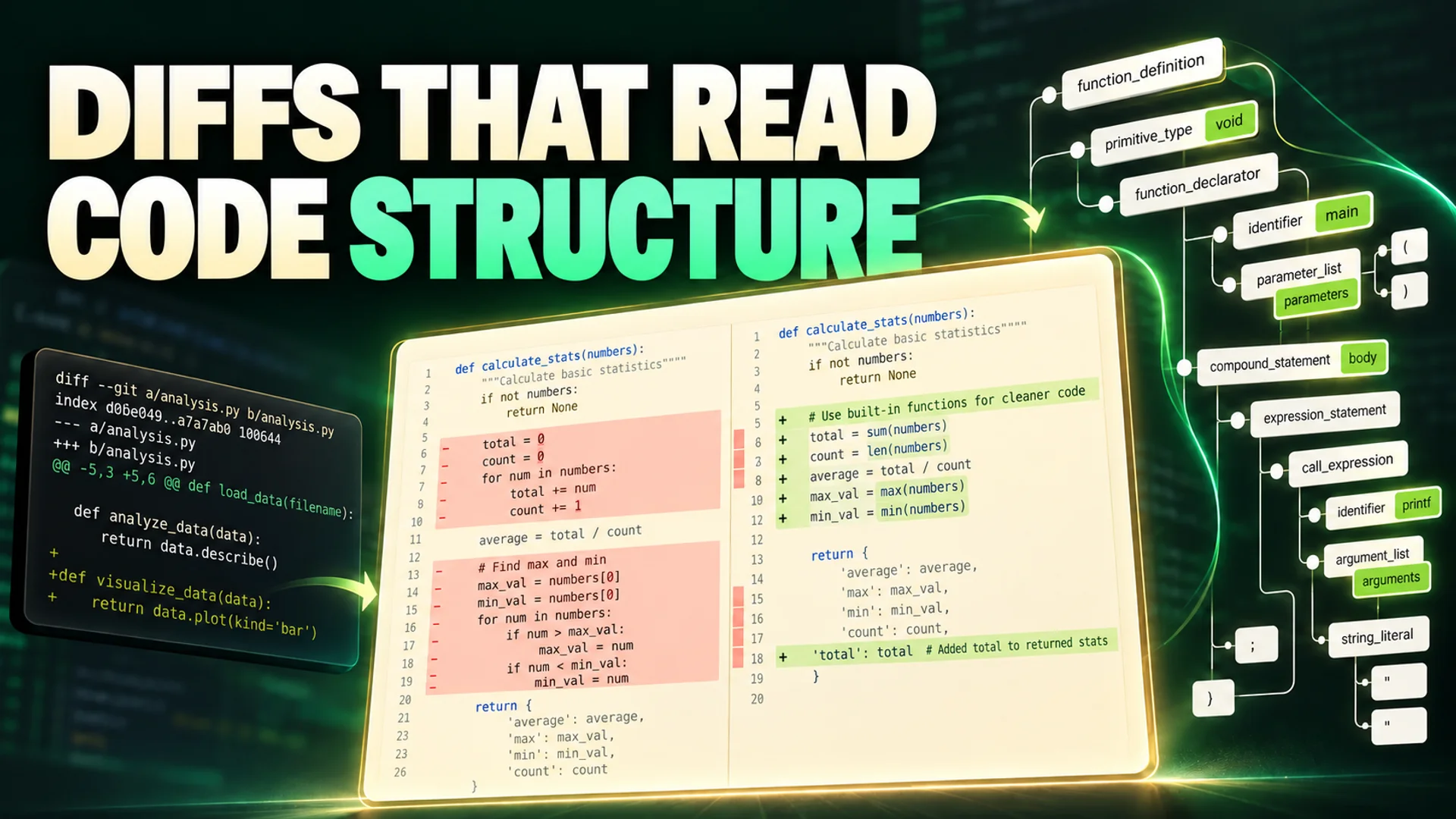
Moving only the location of a function results in a long list of deletions and additions on the review screen, while image changes may end up as just a single line noting that the file changed. In such cases, quickly grasping what changed is more important than the number of changed lines.
OmniDiff, built with Rust, compares the syntactic structure of code and applies format-specific comparison methods for images, fonts, and PDFs. Based on official documentation and the public demo, we will examine how it can be utilized within existing Git workflows. 1
Core Technologies of OmniDiff: Rust-Based Structure Recognition and Non-Text File Support
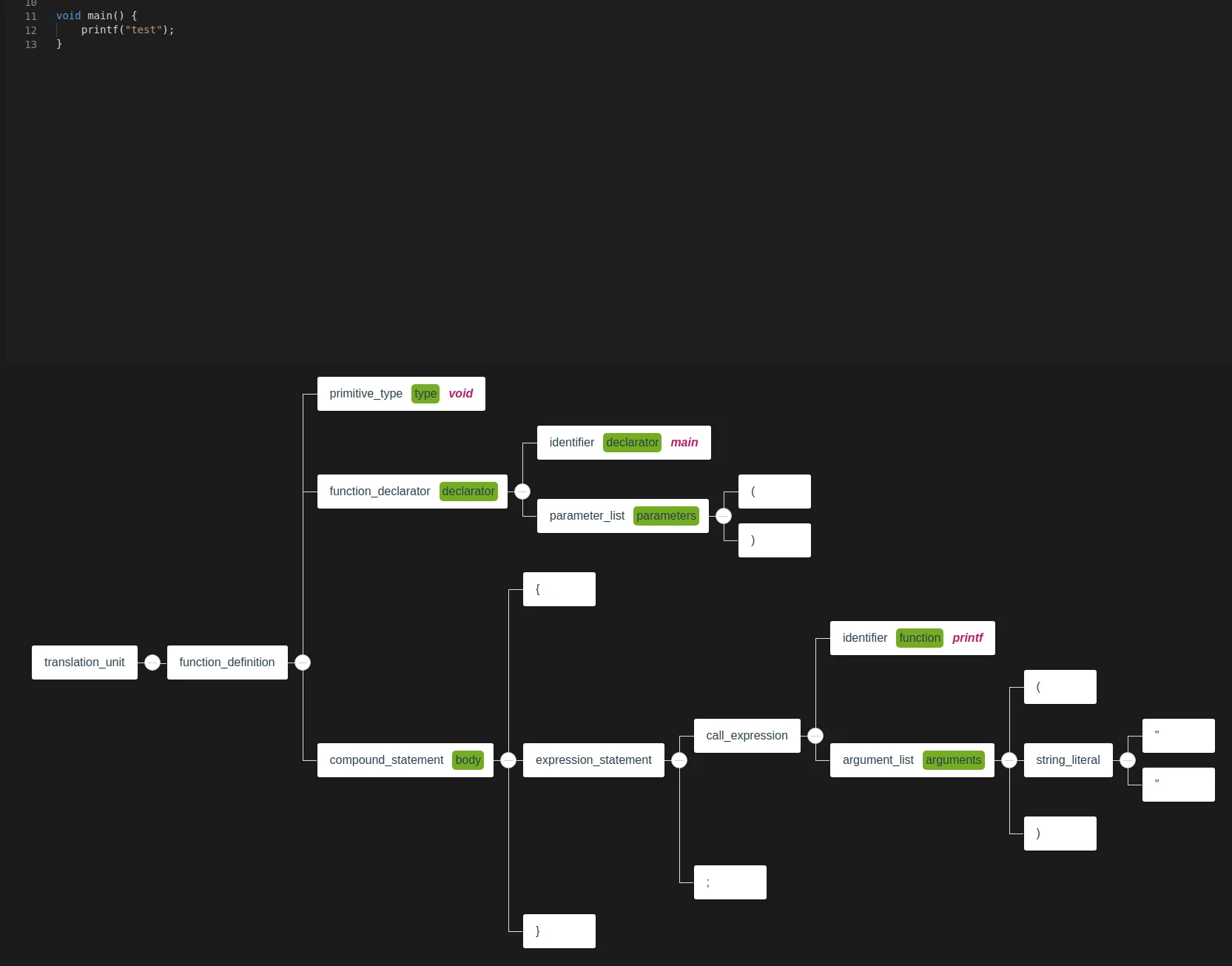
Structural Recognition in Code Comparison OmniDiff parses source code for a total of 25 languages, including C, C++, Go, Python, Rust, and TypeScript, into syntax trees via Tree-sitter parsers 2, 1. A key technology here is the efficient implementation of the APTED (Advanced Post-order Traversal Edit Distance) tree diff algorithm 3. While traditional text-based diffs recognize moved code as 'deletion followed by insertion', OmniDiff analyzes structural changes in the syntax tree and can identify that code has actually been Moved 3.
The language of source code is detected by file extension. In contrast, non-text files are identified by their actual bytes, not by name. Distinguishing between these two paths is necessary to accurately understand the scope of support. 1
Content-Level Analysis of Non-Text Files For binary files excluding text code, comparisons are performed according to the characteristics of the content as follows 2, 1, 4.
- Images: Images such as PNG, JPEG, and GIF are compared pixel by pixel. Particularly for animated GIFs, it specifically reports increases in frame count (e.g., increase from 5 to 7 frames) or changes between individual frames 2, 4.
- Fonts: For font files such as TrueType, OpenType, and WOFF2, it renders glyphs to track pixel change rates for specific icons (e.g., U+0021) and changes in metrics 1, 4.
- Archives: For container-format files such as ZIP, JAR, EPUB, and Office documents (ODT), it opens the internal structure to extract and analyze only the changed components. Nested compressed files are also compared component by component 2, 4.
- PDF: It renders pages to identify visual changes and records metadata changes separately from differences in page rendering 2, 4.
Measured Performance Benchmarks: Processing Speed and Precision
The figures below are measurement results published by the project developer. Performance was not independently re-measured in this article. Results will vary if the comparison targets or datasets differ.
In a Hacker News discussion, the developer shared comparison figures for code cases commonly supported by both OmniDiff and Difftastic. According to this data, OmniDiff's median (p50) processing speed is 4ms, which is approximately eight times faster than Difftastic's 35ms 3.
When comparing code changes within the overlapping support range of Difftastic, OmniDiff showed a 90% rate of 'perfect' alignment with human-judged ground truth, demonstrating higher precision than Difftastic's 64% 3.
The aforementioned 90% is a figure limited to comparisons within the overlapping support range of Difftastic. A separate overall code accuracy evaluation summarized on GeekNews presents a perfect match rate of 69.6% based on the --minimal criteria. These two figures should not be interpreted as the same evaluation result. 2
Current discrepancies mainly arise from rendering rules on how to highlight changes on the screen, rather than from the matching algorithm itself 2.
Developer Workflow Integration: TUI, CLI, and Editor Integration
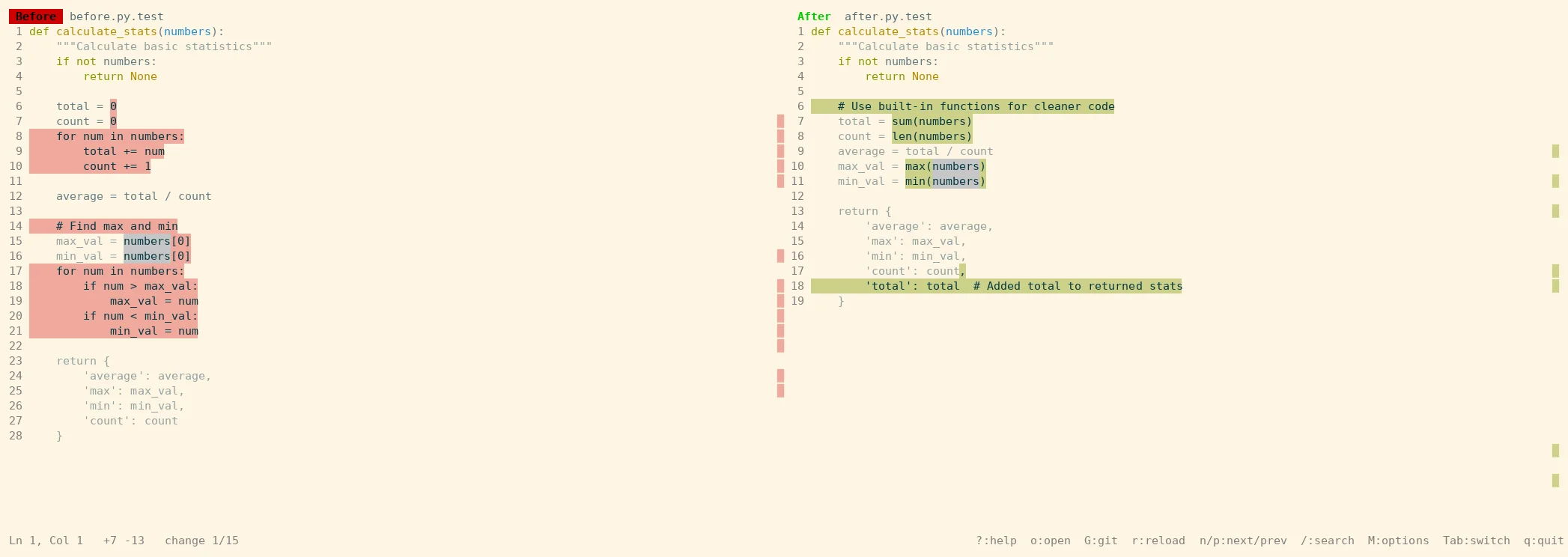
OmniDiff supports both an interactive terminal UI (TUI) and plain text output for scripting, allowing flexible application across various development environments.
Version Control System (Git, Jujutsu) Integration
The interactive Git viewer is opened by first setting omnidiff git configure and then executing git difftool. GIT_EXTERNAL_DIFF=omnidiff git diff is for integration with plain text output 2, 1. If you simply enter git diff, the interactive TUI does not launch in a pager environment; instead, results are output in plain text mode (headless mode) 2, 1. For Jujutsu (jj), language detection features can be fully utilized by configuring per-file invocation (file-by-file) mode through a dedicated configuration wizard 2, 1.
After installation, you can directly compare two files or run the Git configuration wizard. In the wizard, you select whether to apply settings to the current repository or globally. 1
omnidiff BEFORE AFTER
omnidiff git configure
git difftool
Output Formats and Review Tools
- Terminal Viewer (TUI): Supports light and dark themes, and outputs images as actual images on the screen via 24-bit color or terminal graphics protocols (such as kitty, sixel) 2, 1.
- Automation/Scripting:
--headlessoutputs plain text, and also switches to this mode when standard output is not a terminal. JSON output separately usesomnidiff --mode json BEFORE AFTER2, 1. - Browser Review: Reviewing changes in a web browser environment is also possible through the
codereviewproject, which is an initial version at thev0.0.0stage 2, 1.
Editor Plugins
Plugins for VS Code and Neovim (omnidiff-vscode, omnidiff.nvim) are provided, and they can also be installed and used via Open VSX in editors such as Cursor and VSCodium 2, 1.
Technical Limitations of OmniDiff and Project Status
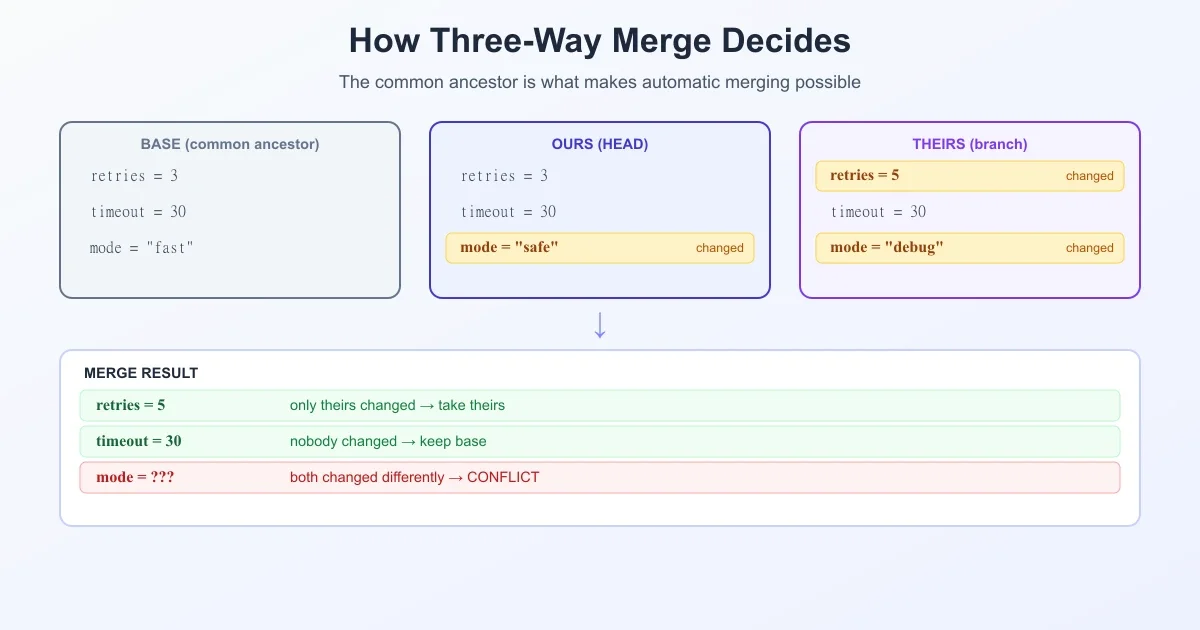
It is necessary to distinguish between a viewer for comparing content and a tool for resolving merge conflicts. The most prominent challenge is the lack of support for 3-way merge. Since the APTED algorithm is primarily optimized for 2-way comparison, the 3-way diff functionality for resolving merge conflicts is a task the developer has stated they wish to address in the future 3. The README explains that external contributions are currently not accepted to maintain development speed 2, 1. AI agents (Claude Code) were utilized during development, and the project adopts the AGPL-3.0-only license 2, 1. It is advisable to first examine the types of changes you frequently encounter in the public demo, and compare the results using two familiar files. If you have a repository with frequent code moves or image/font changes, it is easy to see how it differs from conventional line-based comparisons.
References
- github.com/ivankovic/omnidiff · github.com↩
- ↩
- Show HN: OmniDiff – Opensource, super fast, content aware Git difftool, in Rust | Hacker News · news.ycombinator.com↩
- ivankovic.github.io/omnidiff/showcase/content.html · ivankovic.github.io↩