"AI writes the code, but why doesn't it know the full context of my project or the external infrastructure status?"
This is a thirst that any developer who has used Cursor has likely felt at least once. No matter how smart an AI coding assistant is, if it doesn't know our AWS settings, database schemas, or the contents of our Jira tickets in real-time, it is destined to remain a "half-baked" tool.
As of 2026, Cursor has unleashed a powerful weapon called Plugins to break through this limitation. Moving beyond simple code auto-completion, the AI is evolving into an "agent that actually performs tasks" by communicating directly with external tools.
Today, we will dive deep into how Cursor's plugin ecosystem is structured and how it can transform our workflows.
1. Traditional IDE Extension Methods vs. Cursor's AI-Native Extension Methods
First, it is necessary to clearly understand the difference between traditional IDEs like VS Code or IntelliJ and Cursor. Understanding this difference allows you to feel why plugins are so critical right now.
Traditional IDEs: A Collection of Features
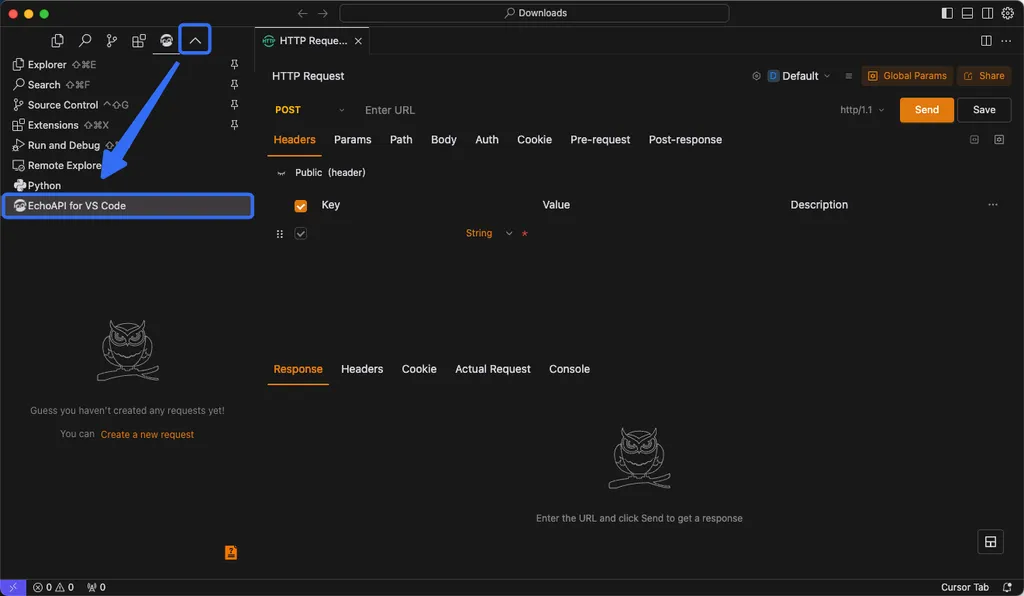
In traditional IDEs, plugins were primarily focused on "visual convenience" or "syntax checking." For instance, viewing commit history with GitLens or receiving auto-completions for class names through a Tailwind CSS extension. Once a plugin was installed, the concept was "adding a function"—such as a new button appearing in the editor or colors changing.
Cursor's Innovation: Granting 'Skills' to the Agent
On the other hand, Cursor in 2026 is different. Here, a plugin is not just a tool, but a process of imbuing the AI agent with new "Skills."
For example, rather than simply displaying Datadog logs, the agent uses the plugin to directly query logs, analyze the cause of an error, and even suggest the fix. In other words, plugins act as the "hands and feet" that allow the agent to interact with the outside world. By combining MCP (Model Context Protocol) servers with custom skills, it has become possible for the AI to perform much more proactive tasks, such as deploying infrastructure or integrating payment systems upon a developer's instruction.
2. Plugin Utilization Strategies by Development Style: What Should You Choose?
The Cursor Marketplace offers countless options. Since installing everything will make the editor heavy, you must choose strategically based on your primary field. We will compare three main types.

Type A: 'Full-Stack/Infrastructure Oriented' - Giving the agent operational authority
For developers who frequently handle cloud deployment and infrastructure management, you should focus on plugins that control the entire service, going beyond simple code writing.
- Core Tools: AWS, Cloudflare, Vercel, PlanetScale
- Pros: You can deploy infrastructure or change database schemas using natural language directly within the editor. A command like "Deploy this project to Vercel" results in actual action.
- Cons: Since the AI accesses the infrastructure directly, there is a risk of security incidents if permission management (such as IAM) is not strictly handled.
Type B: 'Data/Analysis Centered' - Connecting the context of business logic
For developers who need to read data flows and understand business impact, data integration plugins are essential.
- Core Tools: Snowflake, Amplitude, Databricks, Hex
- Pros: For a request like "Analyze the behavior patterns of users who experienced payment errors in the last 7 days," the agent can read Amplitude data and modify the code based on the analysis results. It provides an experience where data and code are not separated.
- Cons: During the process of the agent handling massive amounts of data, issues regarding context window limits or costs may arise.
Type C: 'Productivity/Collaboration Maximizers' - Removing workflow bottlenecks
For team-based developers involved in planning, design, and issue management, collaboration tool integration plugins are the answer.
- Core Tools: Linear, Atlassian (Jira), Figma, GitHub Pull Request
- Pros: It reduces the cost of context switching to zero—for example, by converting designs (Figma) into code or establishing implementation plans based on Jira ticket contents.
- Cons: The scope of tasks the agent can perform may be limited by the API constraints of the collaboration tools themselves.
3. The 'Essential Extensions' Guide You Shouldn't Miss
While the flashy features of the marketplace are great, there are "fundamental strength" extensions that significantly boost productivity if installed by all developers. This list is organized based on recommendations from experts like Matt Pua.

| Category | Recommended Extension | Key Role & Benefit |
|---|---|---|
| Version Control | GitLens | Visually provides code change history and commit context to aid in understanding legacy code |
| Styling | Tailwind CSS | Maximizes styling speed through utility class auto-completion |
| Data/Readability | Rainbow CSV / Color Info | Improves CSV file readability and reduces visual fatigue by verifying color values |
| Package Management | NPM Intellisense | Prevents typos and improves typing efficiency through import path auto-completion |
| Code Navigation | Bookmarks | Acts as a signpost to quickly move between specific locations in complex projects |
Note: Extensions are a double-edged sword. Installing too many plugins can consume the memory and CPU resources required for Cursor's powerful AI engine to run. It is best to follow the principle: "Install when needed, and disable when not in use."
4. Advanced Features for Experts: Custom Plugins and Automation
We have moved beyond the stage of simply using what others have made. The true power of Cursor lies in the fact that users can directly create plugins and build Automations.
Key Elements of Custom Plugin Development
Cursor provides several 'Primitives' so that developers can build their own environments.
- Skills: Combines domain-specific prompts and code to teach the agent specific knowledge.
- Subagents: Operates sub-agents that divide one large task into several small tasks to be processed in parallel.
- Hooks: Defines rules or actions to be executed when a specific task is completed.
The Flower of 2026: 'Cursor Automations'
The AI doesn't just work when you give a command. By utilizing Cursor Automations, you can set the agent to automatically wake up and perform tasks when specific events occur (e.g., a new PR is created, or a certain amount of time has passed).
For example, it is possible to build a "standing-by agent" that checks logs via the Datadog plugin every dawn and automatically creates an issue ticket if an anomaly is detected. This signifies an era where infrastructure and code manage themselves even while the developer is asleep.
Closing: Build Your Own AI Development Stack
So far, we have explored how Cursor's plugin ecosystem has evolved beyond a simple editor into a powerful AI agent hub.
To summarize, plugins are tools that grant knowledge and abilities to the agent. From infrastructure management to data analysis and collaboration automation, depending on which plugins you combine, your Cursor can be a simple 'coding assistant' or an 'autonomous software engineer.'
Now, examine your workflow. If there are manual tasks you repeat every day, it is time to consider whether a plugin to solve them exists in the marketplace, or if you could build one yourself.
Which tools do you want to connect Cursor with? Or what is the automation task that currently feels most inconvenient? Please share your thoughts in the comments!
References
- Plugins | Cursor Docs · cursor.com
- Cursor Marketplace | Cursor Plugins · cursor.com
- 12 Must Have Extensions for Cursor | by Matt Pua - Medium · matthewpua.medium.com
- Over 30 new plugins join the Cursor Marketplace · cursor.com
- 플러그인으로 Cursor 확장하기 · cursor.com