To properly create a single short-form video—from planning and scripting to finding video sources, adding subtitles, and selecting background music—it usually takes at least 60 hours.
In terms of cost, it is a massive undertaking that can cost around $1,200 per video.
However, as of 2026, a magical tool has emerged that can complete this entire process in just 22 minutes for a mere $25 (or even for free) just by entering a single keyword. This is MoneyPrinterTurbo, which has become a sensation on GitHub with over 53,000 stars.
What is MoneyPrinterTurbo, the Content Factory starting from $0?

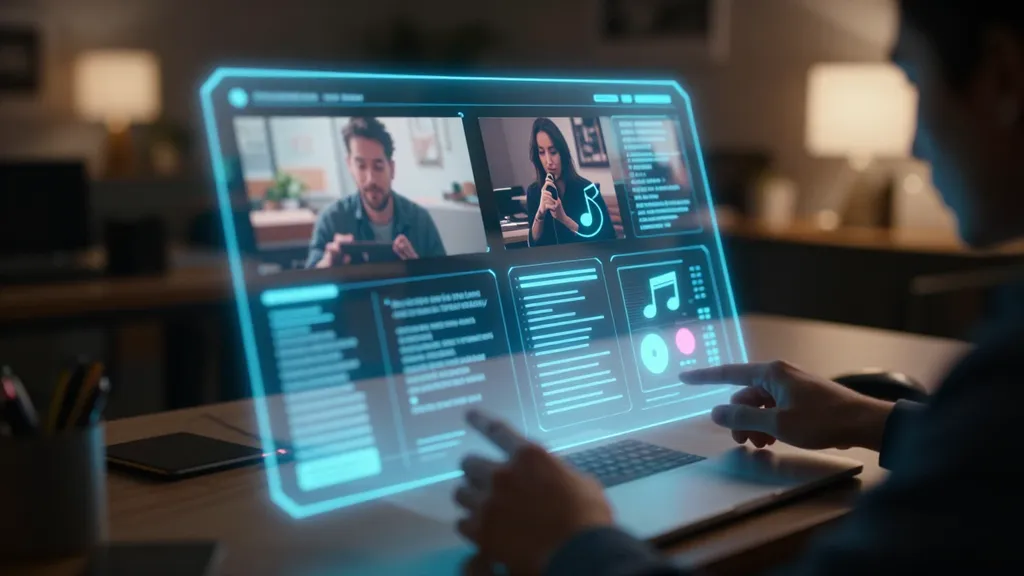
This project represents the pinnacle of "automation" that every content creator dreams of. MoneyPrinterTurbo is an "end-to-end" automation tool where the user simply provides a video topic or keyword, and the AI takes care of writing the script, finding and arranging matching high-definition footage, and adding subtitles and background music to output the final video file.
It is not merely an auxiliary tool to help with video editing. It is closer to an AI-based automated short-form generator that simultaneously performs the roles of a planner, writer, editor, and voice actor.
Why is this project receiving such an enthusiastic response? It is because it adopts an 'MVC architecture' for a very clean code structure and supports both APIs and a Web User Interface (WebUI), allowing anyone from beginners to developers to build their own video production pipeline.
A particularly noteworthy point is that a GPU is not mandatory. While it is easy to assume that high-end graphics cards are essential for AI video work, this tool makes full use of cloud LLMs, so it runs sufficiently well even on a standard laptop environment. Of course, if you want faster processing, having a GPU with 4GB or more of VRAM is recommended.
How does it work? The 4-step process of AI making a video

Looking at the operating principles of this tool, it is like a skilled editing team working organically.
Step 1: AI Scripting When a user enters "Mysteries of the Universe," one of various LLMs—such as OpenAI's GPT-4, Google's Gemini, or DeepSeek, which has recently gained attention for its cost-effectiveness—is selected to write an engaging video script. It supports English as well as Chinese, and because you can choose from various models, you can maximize cost efficiency.
Step 2: Visual Sourcing After the AI understands the context of the written script, it automatically finds high-definition (HD) videos that perfectly match the script through the Pexels API. There is no need to manually search through stock sites.
Step 3: Audio & Subtitles It applies natural narration using Edge TTS or Azure TTS. Then, it generates subtitles that match the flow of the video using Whisper or Edge technology. You can finely adjust the font, color, and position of the subtitles to increase the quality.
Step 4: Composition Finally, a powerful engine called FFmpeg blends the script, video, audio, and background music into a single 9:16 vertical or 16:9 horizontal video that we see.
There is one thing to note here. Since the tool relies on Pexels for video sources, you should be aware in advance that the quality might drop slightly for very specific or niche topics where appropriate video sources cannot be found. However, for popular topics, it will be hard to find a tool more fast and efficient than this.
From installation to execution: How to turn your computer into a video production studio
There are three main ways to use this tool. Choose the method that fits your environment.
1. The Easiest Way: Batch Execution Package for Windows Users
Windows users don't need complex coding knowledge. Simply download the batch execution package provided on GitHub, keep it up to date with update.bat, and run start.bat. Then, like magic, a browser will open and the web interface will appear.
Caution: Make sure the installation path does not contain Korean characters, spaces, or special characters!
2. For Professionals: Docker Deployment
If you are a developer or server operator, I highly recommend Docker. With a single docker-compose up command, it runs cleanly in a container environment. The web interface can be accessed at http://0.0.0.0:8501, and API documentation is available at http://0.0.0.0:8080/docs, making system integration very easy.
3. Setting up a Local Environment (macOS/Linux)
You can set up the environment using the uv sync --frozen command. If you want to handle everything locally, you should pre-install libraries such as ImageMagick and FFmpeg along with a Python 3.11 environment.
Pro-tip! If you are hesitant to install it because your computer specs are low, you can try it directly in a cloud environment using Google Colab. Alternatively, using an online service based on this technology (e.g., Recloud) to generate directly on the web without an installation process is also a wise approach.
Practical Application Strategy: How to connect it to monetization and productivity?
It shouldn't end with just "Wow, that's cool." The true value of this tool lies in 'Batch Generation'.
First, a quantity offensive for YouTube Shorts and TikTok channels In an era where content quantity equals exposure, you can use MoneyPrinterTurbo's batch generation feature to create multiple versions of a video for a single topic simultaneously. It is optimal for A/B testing to see which video is selected by the algorithm.
Second, automation of educational and informative content Topics like "Historical Trivia," "Quote of the Day," or "Economic News Summary" are easy to format. Such channels can produce high-quality results with just AI-generated scripts and video sources, allowing operating costs to approach zero.
Third, generating marketing and advertising materials Corporate marketers can instantly create dozens of advertising videos by inputting specific product features as keywords. By applying different background music and videos, you can use data to see which style induces customer clicks.
Of course, perfect automation is still difficult. AI-generated videos can sometimes be awkward, and for Korean, there is the inconvenience of having to bypass Edge TTS. However, the fact that it reduces a task that takes a human 60 hours down to 22 minutes means we can focus on more creative planning during the remaining 59 hours and 38 minutes.
In Summary: A new era for creators opened by AI

So far, we have looked at how MoneyPrinterTurbo is changing our video production paradigm.
- Core Summary: An open-source AI tool that creates scripts, videos, subtitles, and music all at once just by entering a topic.
- Economy: Compared to traditional production methods, it can save 98% in cost and 99.4% in time.
- Scalability: It integrates with various LLMs (OpenAI, DeepSeek, etc.) and supports various ratios, including 9:16 vertical videos.
Technological advancement always moves in the direction of making things "doable by anyone." In the past, you had to have professional equipment and editing skills to make videos, but now we have entered an era where only planning ability—"what keyword will you throw out"—makes the difference.
If you were to obtain this powerful tool, what topic would you like to make your first video about? Please share your ideas in the comments!
What are your thoughts?
References
- harry0703/MoneyPrinterTurbo: 利用AI大模型,一键生成高清短视频 ... · github.com
- MoneyPrinterTurbo/README-en.md at main - GitHub · github.com
- harry0703/MoneyPrinterTurbo: 利用AI大模型,一键生成高清短视频 ... · app.daily.dev
- harry0703/MoneyPrinterTurbo: 利用AI大模型,一键生成高清短视频 ... · spreaker.com