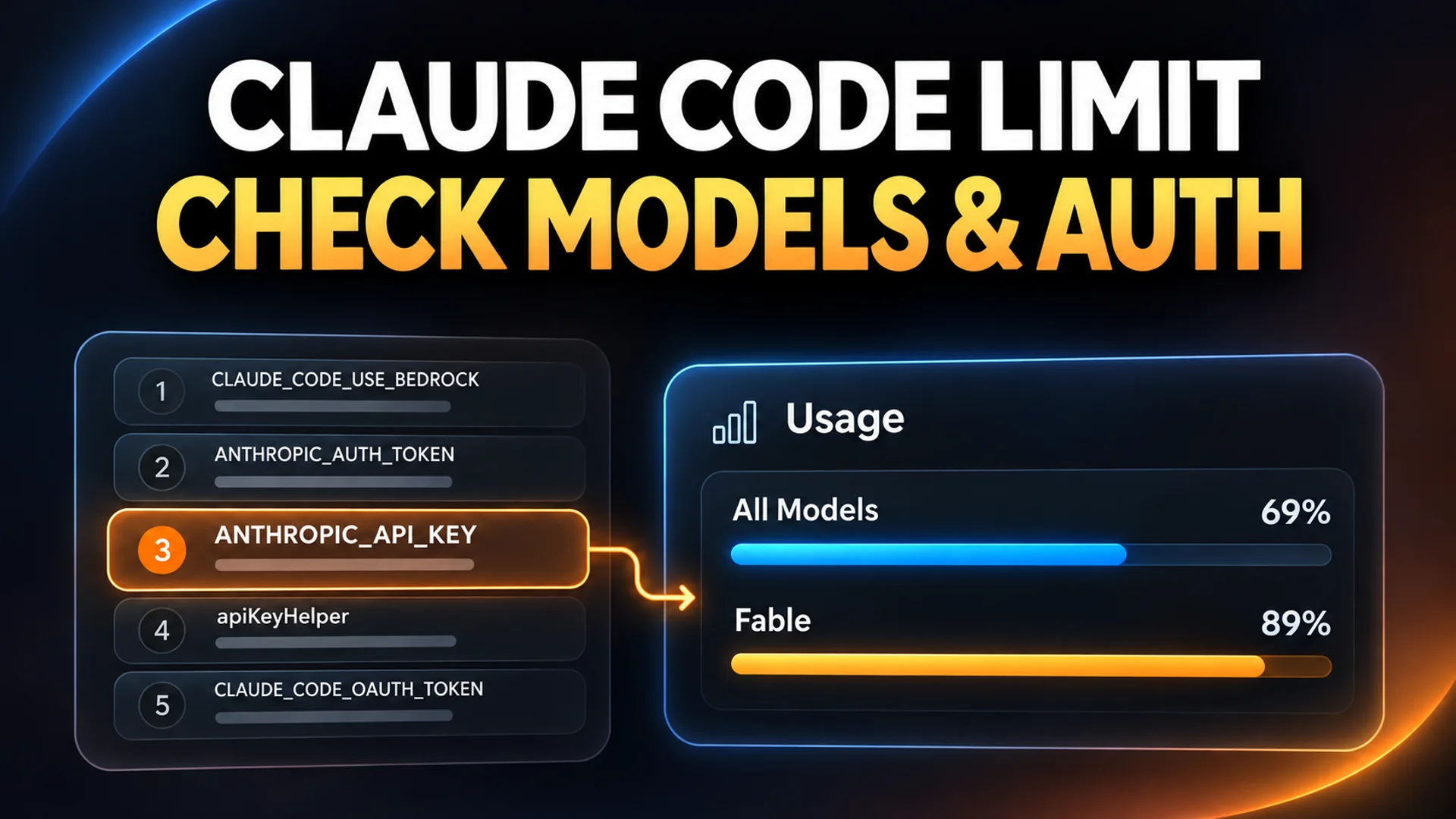
Have you ever felt frustrated when asking an AI agent to write code, thinking, "It's just not getting it," or "Why did it forget what I just said?"
This isn't a problem that can be solved simply by typing a few more lines of prompt. The issue isn't the prompt itself, but rather the 'environment' and 'process' in which the AI operates.
The ECC (Everything Claude Code) introduced today is not just a collection of configuration files. It is a powerful operating system created by an Anthropic hackathon winner, incorporating 10 months of real-world experience to upgrade an AI agent from a simple assistant to an 'autonomous senior engineer.'
The Limits of AI Agents: Why does a smart Claude occasionally act foolish?

While we often assume it is an issue of AI intelligence, most problems actually stem from a failure in context management.
As a session grows longer, AI easily loses previous context and must relearn different coding styles or security rules for every single project. It is like having to re-train a new employee from scratch every time by saying, "This is how our company writes code." In this process, tokens are wasted, and the consistency of the output collapses.
ECC approaches this problem not from the perspective of 'prompt engineering,' but from the perspective of 'software engineering.' It builds an Agent Harness system by structuring the rules the AI must follow, the tools (Skills) it can use, and its ability to remember previous tasks (Memory).
The Core Engine of ECC: The 4 Pillars Moving the AI
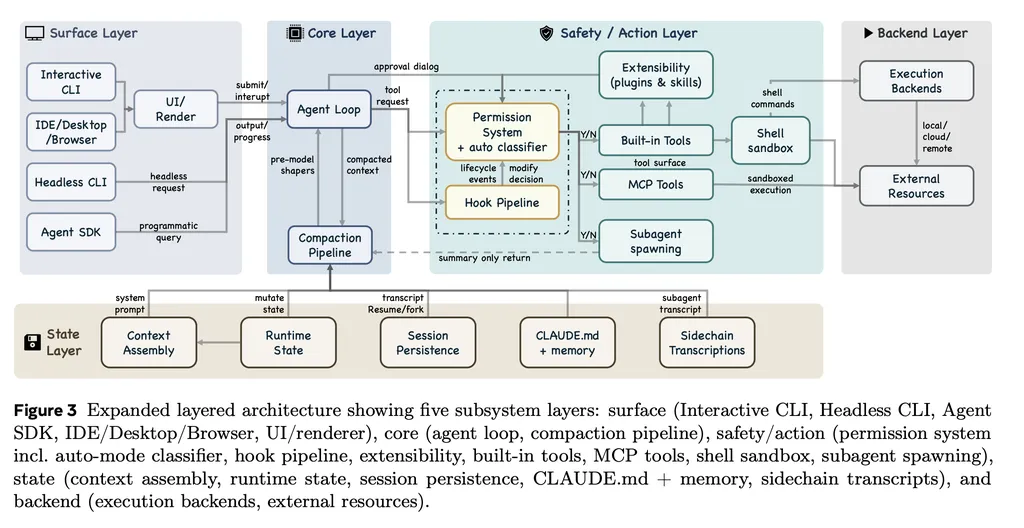
Let's look at the core mechanisms of how ECC makes AI more than just a simple chatbot.
1. Skills and Instincts
ECC grants the AI a specific 'set of skills.' For example, instead of a simple "write code," you can issue commands like "Run a TDD (Test-Driven Development) loop while applying the Black formatter." Here, 'Instincts' is a high-level function that extracts repeating patterns during a session, allowing the AI to learn and reuse them autonomously.
2. Memory Persistence
One of the most innovative parts. It provides Hooks functionality that automatically saves and restores the context of a task even after a session ends. Thanks to this, developers don't need to explain in exhaustive detail every time, "You know, that function in that file from earlier..."
3. Security Guardrails: AgentShield
It prevents the AI from accidentally exposing secret keys or writing security-vulnerable code. Based on 1,282 tests and 102 static analysis rules, AgentShield scans AI-generated code in real-time to block security threats. This directly addresses the 'security' concerns most prevalent when using AI in enterprise environments.
4. Role Separation
Instead of using one massive AI, ECC creates a structure where sub-agents—such as Project Managers, QAs, and Architects—collaborate. Each agent uses only the permitted tools (Read, Grep, etc.) to prevent role confusion and maximize task accuracy.
Real-world Application: From TDD to Code Review in a Single Workflow
Once you install ECC, your development environment changes completely. Rather than just generating code, you can perform the entire Software Development Life Cycle (SDLC) alongside the AI.
/tddcommand: The AI first writes test code and executes a loop of iteratively modifying the actual implementation code until the tests pass./plancommand: When receiving complex requirements, instead of jumping straight into coding, the AI first establishes a detailed execution plan and submits it for review./code-reviewcommand: The AI autonomously reviews whether the written code adheres to the project's conventions and security rules.
A real-world case involving the development of a service called zenith.chat using this system proved that an AI agent, if provided with a well-designed process, can produce product-level results independently.
Current Challenges: The Path to Perfection
Of course, ECC is not a magic wand that solves all problems. Currently, this project is experiencing explosive growing pains.
Looking at the GitHub Issues tab, several P0 (Highest Priority) bugs have been reported by the development team. Specifically, there are serious issues such as the gateguard-fact-force hook blocking all write operations in certain environments (like Cursor), and path recognition issues in Windows environments.
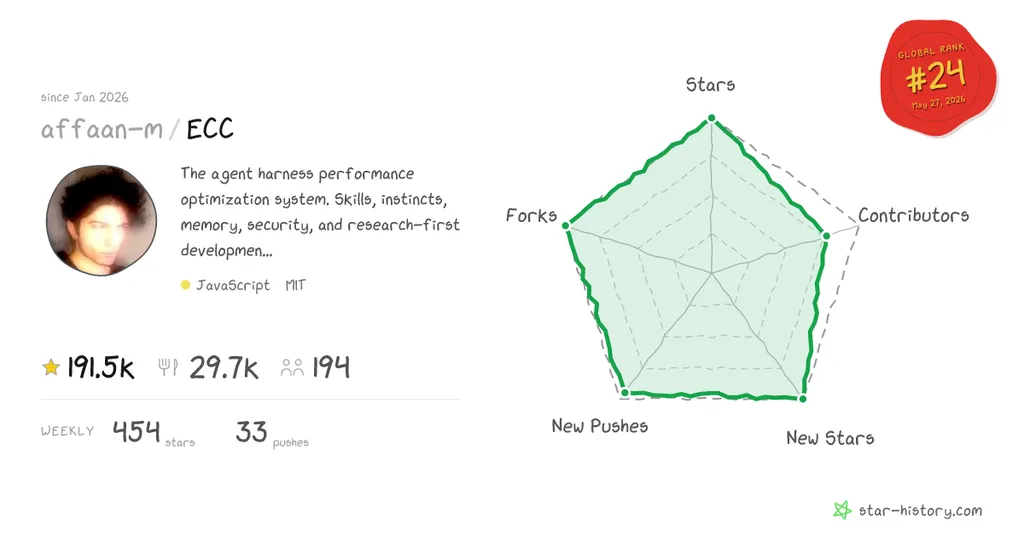
However, this is paradoxically evidence of how actively the project is being used. Over 190,000 stars and tens of thousands of forks indicate how much developers worldwide are craving this 'Agent Operating System.'
Conclusion: Own the Process, Not Just the Tool

In the AI era, competitiveness is shifting from "how many good prompts do you know" to "how efficiently can you confine and manage AI within a process."
ECC (Everything Claude Code) is a tool standing at the center of that shift. Regardless of whether you use Claude Code, Cursor, or Codex, you can provide consistent skills, robust security, and continuous memory through ECC.
Don't spend your time just chatting with AI. Build an 'environment' where the AI can work as a team member. Instead of overthinking, performing a git clone might be the fastest way to accelerate your productivity.
Are you using AI as a simple 'coding assistant,' or are you ready to make it a 'teammate' you collaborate with?
Please share in the comments which feature you think would be most necessary for your development workflow!
References
- Issues · affaan-m/ECC - GitHub · github.com
- Everything Claude Code hits 100K stars: what developers should ... · augmentcode.com
- affaan-m/everything-claude-code Plugins · claudemarketplaces.com
- configure-ecc | everything-claude-code - ClaudePluginHub · claudepluginhub.com
- 앤트로픽 해커톤 우승자가 10개월간 갈고닦은 'Claude Code' 설정값 ... · threads.com
- Everything Claude Code - 해커톤 우승자의 AI 개발 팀 레시피 · roboco.io